Installation & Activation
ConvertForce can be installed in two ways: directly from the WordPress plugin directory (recommended) or by uploading the plugin ZIP file manually. Both methods take less than a minute.
Method 1: Install from the WordPress Dashboard
This is the easiest way to install ConvertForce.
- Log in to the WordPress admin dashboard.
- Navigate to Plugins → Add New.
- In the search box, type ConvertForce.
- Locate the ConvertForce plugin in the search results and click Install Now.
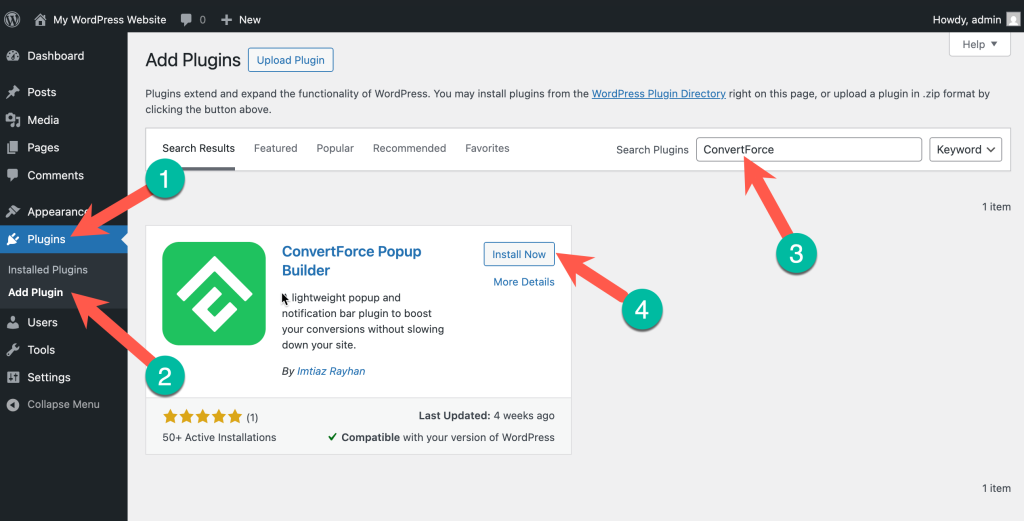
And finally, activate the plugin. ConvertForce is now active and ready to use.
Method 2: Upload the Plugin ZIP
Use this method when installing from a downloaded ZIP file.
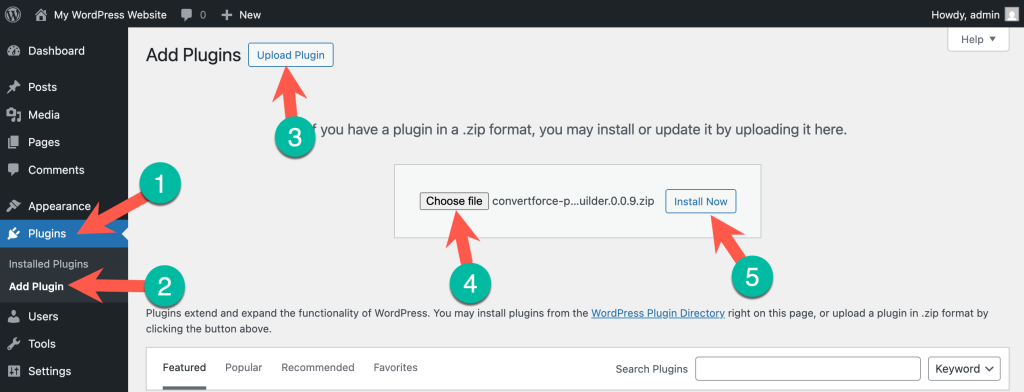
- Download the ConvertForce plugin ZIP from here.
- Then go to your WordPress admin dashboard, navigate to Plugins → Add New → Upload Plugin.
- Click Choose File and select the downloaded ZIP.
- Click Install Now, then click Activate Plugin once the upload completes.
Finding ConvertForce in the Dashboard
After activation, a new ConvertForce menu item appears in the WordPress admin sidebar. This is the main hub for creating and managing campaigns.
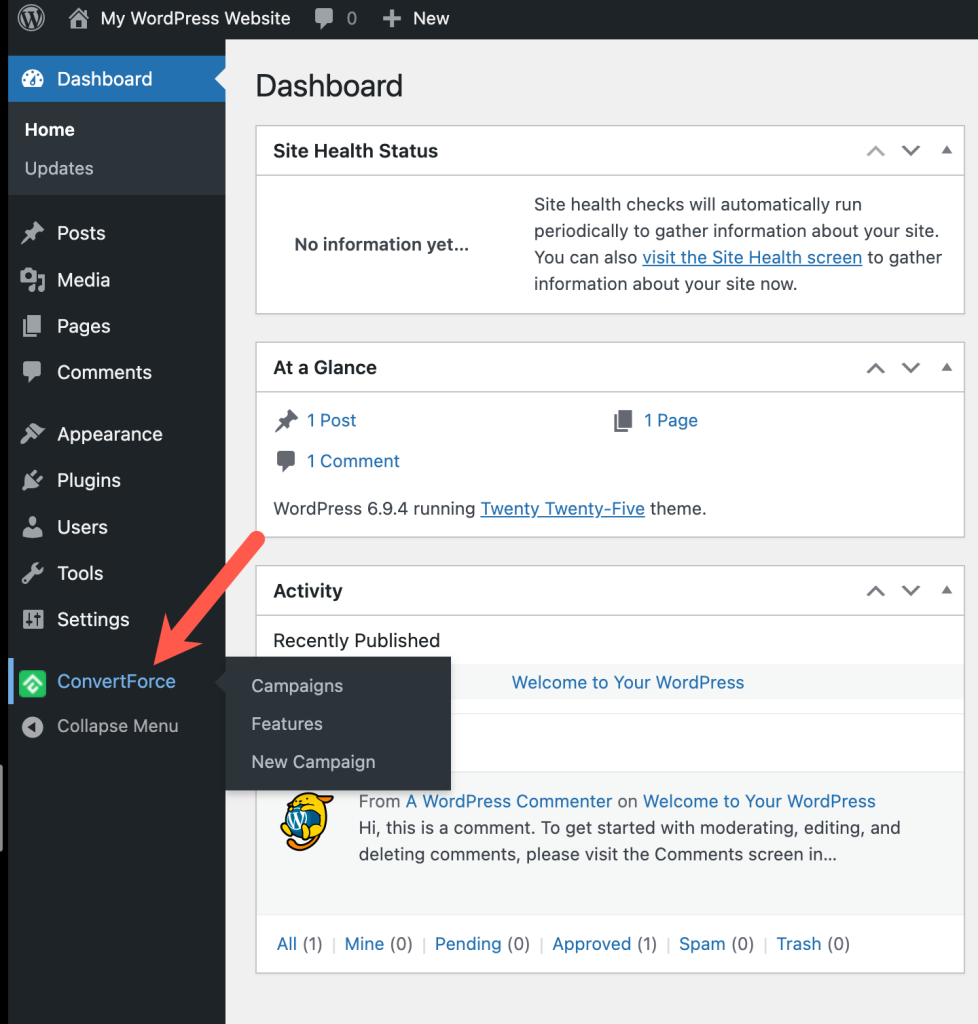
From the ConvertForce menu, the following options are available:
- Campaigns — View, edit, and manage every campaign in one place.
- Features — Welcome and features page.
- New Campaign — You can create a new campaign by clicking on it.
Next Steps
With ConvertForce installed and activated, the next step is creating a campaign. See the Creating Your First Campaign guide to build a campaign under five minutes.
Frequently Asked Questions
Where can I download ConvertForce?
ConvertForce is available for free on the official WordPress plugin directory at https://wordpress.org/plugins/convertforce-popup-builder/
Do I need a license key to activate ConvertForce?
No. The free version of ConvertForce activates immediately after installation — no license key or account required.
Where does ConvertForce appear after activation?
A new ConvertForce menu item is added to the WordPress admin sidebar. All campaign creation and management happens from this menu.
Can I install ConvertForce on a multisite network?
Yes. ConvertForce can be installed and activated on individual sites within a WordPress multisite network, the same way any other plugin is installed.