Campaign Types
ConvertForce supports three campaign types: Notification Bar, Lightbox Popup, and Slide-In. Each type is designed for a different level of visitor attention and use case. This guide explains what each type is, when to use it, and how they compare.
Notification Bar
A notification bar is a slim, full-width bar that appears at the top or bottom of the page. It stays visible as visitors browse and is the least intrusive of the three campaign types.
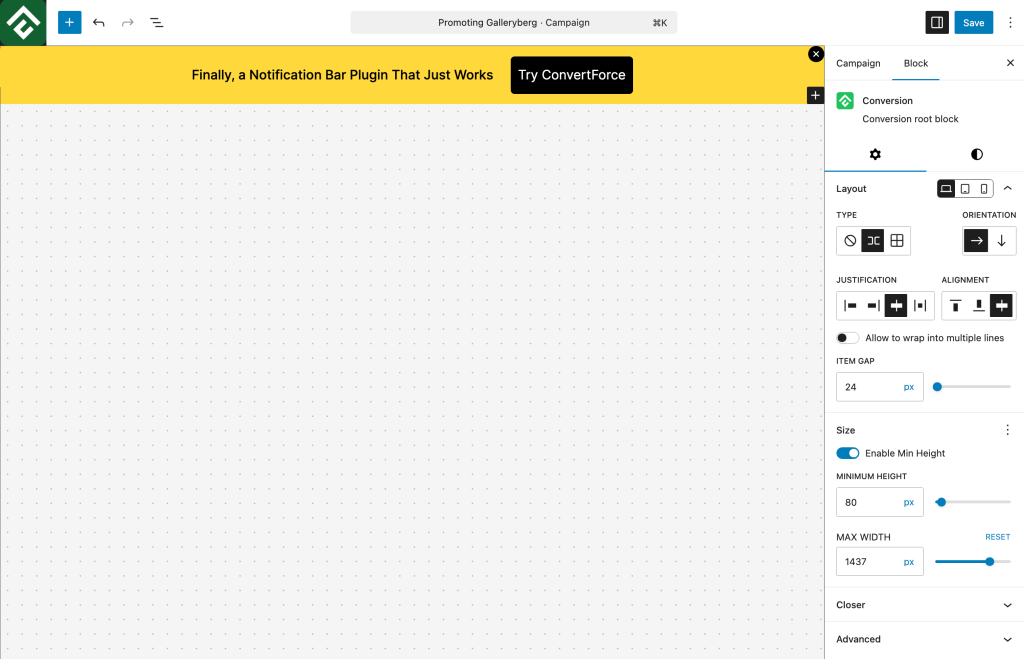
Best for:
- Site-wide announcements (sales, shipping updates, new launches)
- Cookie or compliance notices
- Promotional offers that need constant visibility
- Free shipping or discount code banners
Notification bars work well when the goal is steady exposure without interrupting the browsing experience.
Lightbox Popup
A lightbox popup is a centered overlay that appears on top of the page content, dimming the background to focus attention on the campaign. It is the most attention-grabbing of the three types.
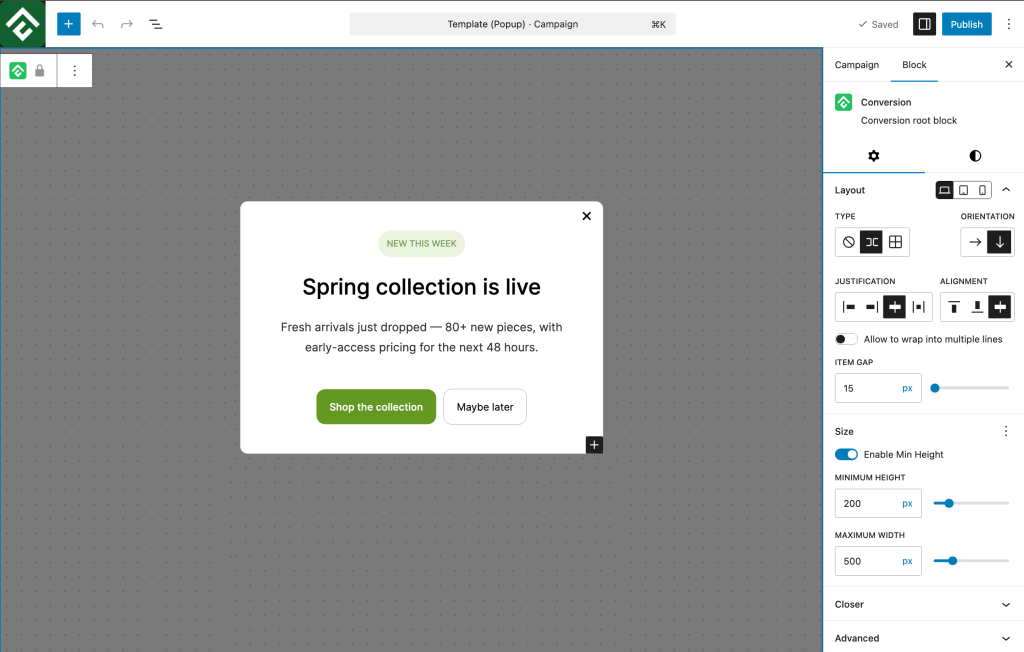
Best for:
- Lead capture
- High-value offers and discounts
- Exit-intent offers to retain leaving visitors
- Gated content or special announcements
Lightbox popups are ideal when maximum attention is needed, though they should be used thoughtfully to avoid disrupting the visitor experience.
Slide-In
A slide-in is a compact panel that slides in from the corner of the screen, typically the bottom-right. It sits in the visitor’s peripheral vision without blocking content, making it a balanced middle ground between notification bars and lightbox popups.
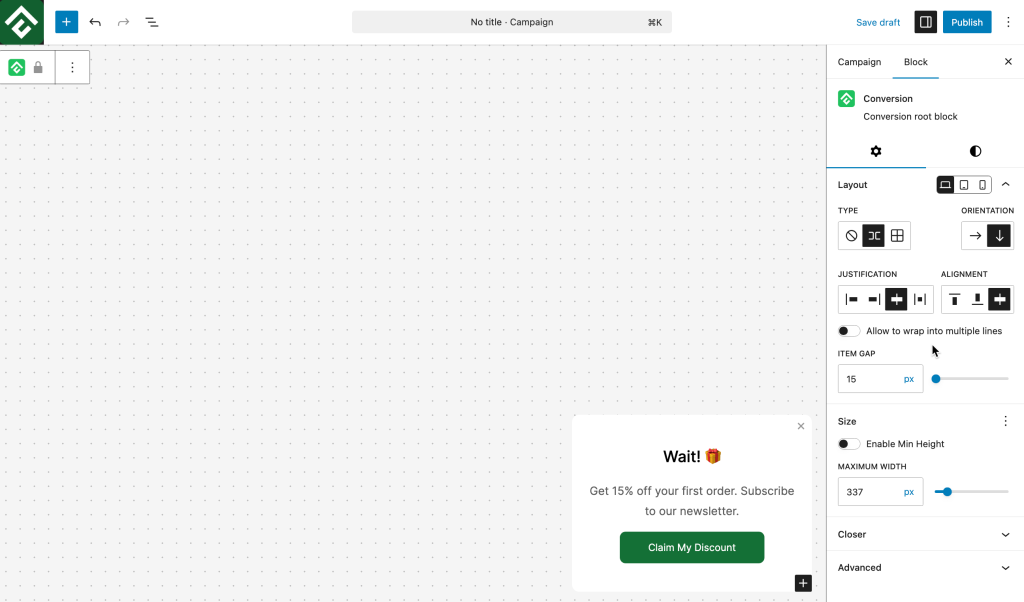
Best for:
- Non-intrusive newsletter prompts
- Related content or product recommendations
- Subtle promotional nudges
- Social proof notifications
Slide-ins work well when the goal is to prompt action without interrupting what the visitor is doing.
Comparison at a Glance
| Feature | Notification Bar | Lightbox Popup | Slide-In |
|---|---|---|---|
| Placement | Top or bottom, full-width | Centered overlay | Corner of the screen |
| Attention level | Low | High | Medium |
| Blocks content | No | Yes | No |
| Best use case | Site-wide announcements | Lead capture & offers | Subtle prompts |
| Intrusiveness | Minimal | High | Moderate |
Choosing the Right Type
The right campaign type depends on the goal:
- Constant visibility without interruption → Notification Bar
- Maximum attention for a high-value action → Lightbox Popup
- Gentle prompts that don’t disrupt browsing → Slide-In
Many sites use more than one type at once — for example, a notification bar for a site-wide sale alongside a lightbox popup for newsletter signups. ConvertForce supports running multiple campaigns of different types simultaneously, each with its own display rules and triggers.
Frequently Asked Questions
Can I run more than one campaign type at the same time?
Yes. Multiple campaigns of different types can run simultaneously, each with its own display rules and settings.
Which campaign type converts best?
It depends on the goal. Lightbox popups typically have the highest conversion rates because of their attention-grabbing nature, but notification bars and slide-ins often deliver better long-term engagement because they’re less disruptive.
Can I change a campaign’s type after creating it?
No. The display type is set when the campaign is created. To switch types, create a new campaign with the desired type.
Where do notification bars appear — top or bottom?
Notification bars can be configured to appear at either the top or bottom of the page from the campaign settings.