User Conditions
User conditions target a campaign based on who the visitor is and what they have already done on the site. This category contains six conditions, split between WordPress account information such as login state and role, and activity such as pages viewed and campaigns already seen.
User conditions are found in the Campaign tab of the campaign editor sidebar, under Advanced Targeting. Open the Condition dropdown and select User. Advanced Targeting requires ConvertForce Pro.
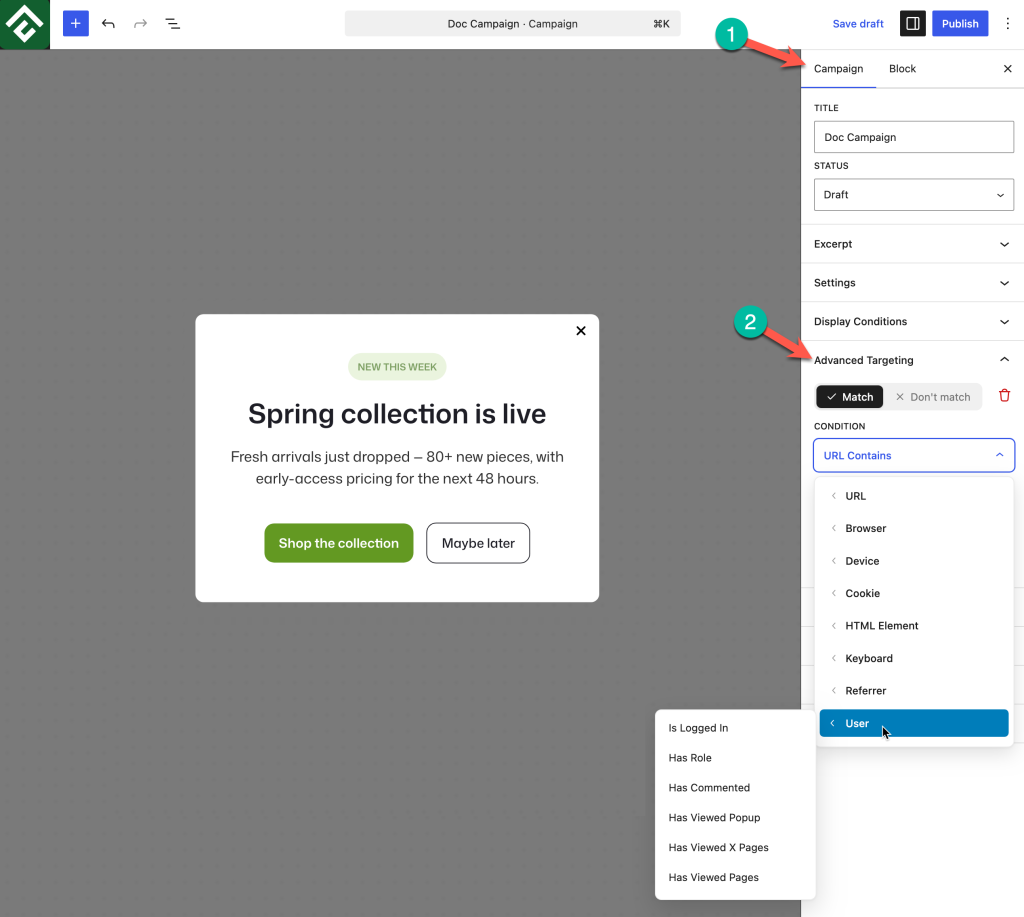
This category uses a wider range of input types than any other. One condition needs no input, one offers a checkbox list, one offers a dropdown of existing campaigns, two take a numeric range, and one takes a list of post IDs.
Available Conditions
Is Logged In
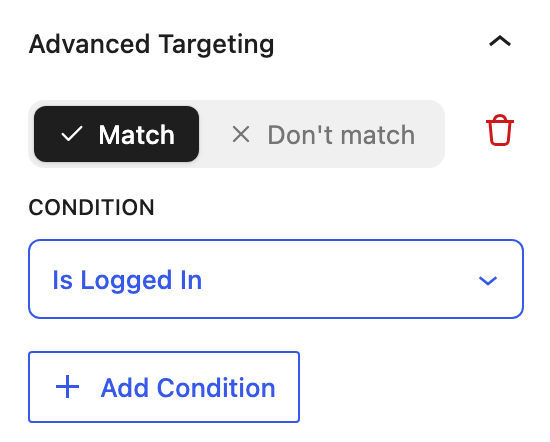
Matches when the visitor is logged in to WordPress. No value is needed.
This is the most widely useful condition in the category, because most acquisition campaigns are aimed at people who are not yet members. Setting Don’t match → Is Logged In keeps signup and subscribe campaigns away from existing members, and away from site administrators working in the front end.
Use case: A newsletter popup that should never appear for logged-in members who have already subscribed.
Has Role
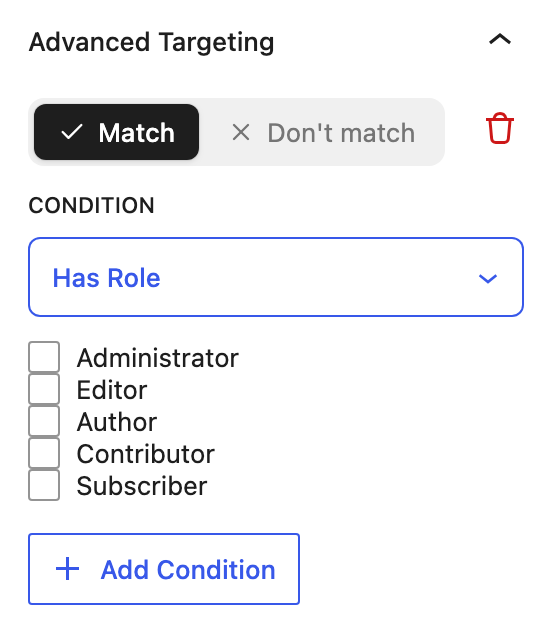
Matches when the logged-in visitor has one of the selected WordPress roles. Selecting it reveals a checkbox list of the roles registered on the site, which by default are Administrator, Editor, Author, Contributor, and Subscriber.
Because this is a checkbox list rather than a single choice, more than one role can be selected in a single condition, and a visitor holding any one of the selected roles satisfies it. This is the exception to how conditions normally combine, and it is covered further down this page.
Use case: An upgrade prompt shown to visitors on the Subscriber role, without reaching editors or administrators who have no use for it.
Has Commented
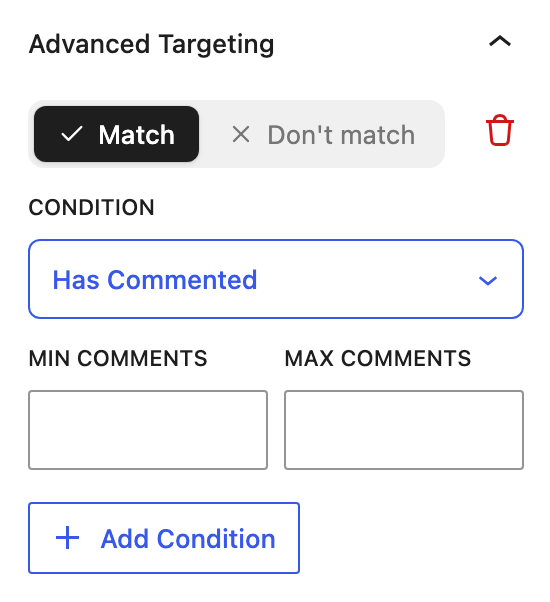
Matches on how many comments the visitor has left. Selecting it reveals two fields, Min Comments and Max Comments, so the condition describes a range rather than a simple yes or no.
The range makes it possible to distinguish between levels of participation. A minimum of one covers anyone who has ever commented, while a higher minimum narrows the audience to the most active readers.
Use case: A slide-in inviting the site’s most engaged readers to join a community, using a minimum high enough to exclude one-time commenters.
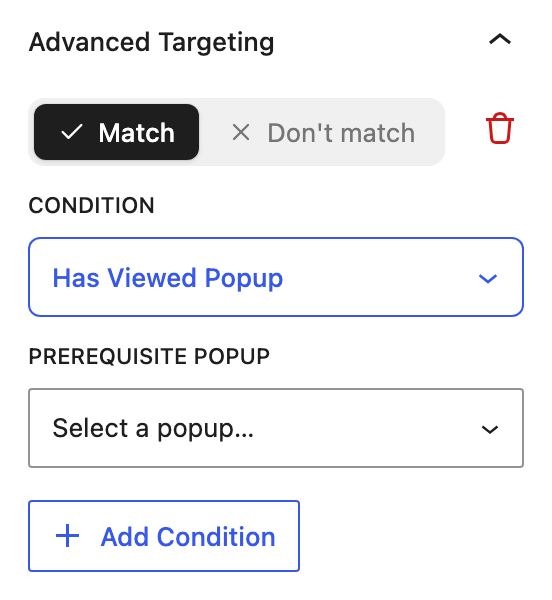
Has Viewed Popup
Matches based on whether the visitor has already seen a particular campaign. Selecting it reveals a Prerequisite Popup dropdown listing the campaigns on the site, so the campaign to depend on is chosen from a list rather than typed.
The field name describes the intent precisely. This is what makes campaign sequencing possible, because one campaign can be made conditional on another having appeared first.
It works in both directions. Match creates a follow-up that only reaches visitors who saw the first campaign. Don’t match prevents two campaigns with similar messages from both appearing to the same person.
Use case: A second, softer offer shown only to visitors who already saw the main offer and did not act on it.
Has Viewed X Pages
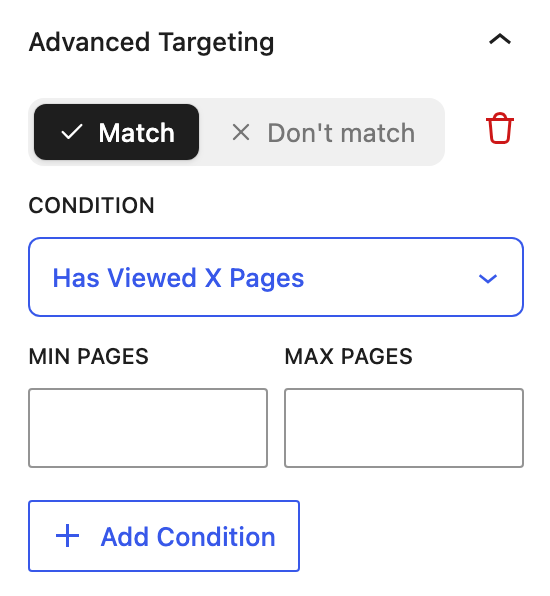
Matches on the number of pages the visitor has viewed. Selecting it reveals Min Pages and Max Pages fields.
Page count is a practical measure of interest, and it separates a visitor who is genuinely exploring from one who has just arrived. Filling in a minimum alone is the usual approach, since most campaigns of this kind should keep applying however far the visitor goes.
Use case: Holding a subscribe prompt back until a visitor has read several pages, so the request arrives after the site has demonstrated value rather than before.
Has Viewed Pages
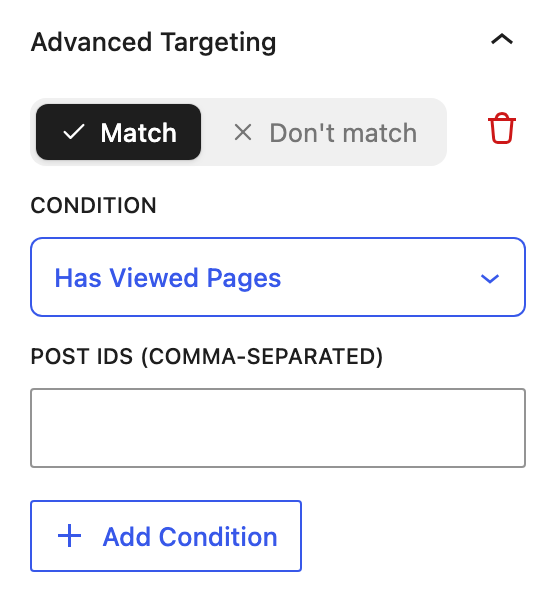
Matches based on which specific pages the visitor has viewed, rather than how many. Selecting it reveals a Post IDs field that accepts a comma-separated list, so several pages can be named in one condition.
This targets intent rather than engagement, because the pages someone has chosen to read describe what they are interested in.
Use case: Showing a discount to visitors who have already viewed the pricing page, since they have signaled purchase intent and cost may be the remaining objection.
Finding a Post ID
Has Viewed Pages identifies pages by their numeric ID rather than by title or address. To find one:
- Open the page or post in the WordPress editor.
- Read the browser address bar, where the ID appears in the
postparameter. - Enter that number in the Post IDs field, separating multiple IDs with commas.
Post IDs do not change when a page is renamed or its address is edited, which makes this condition more durable than a rule based on a URL. The tradeoff is that the numbers carry no meaning on their own, so a note recording which page each ID refers to is worth keeping.
Selecting Several Values in One Condition
Conditions normally combine strictly: every condition added to a campaign has to be satisfied for it to display. Two conditions in this category work differently within themselves.
Has Role accepts several roles through its checkbox list, and a visitor holding any one of them satisfies the condition. Selecting Author and Editor together reaches both groups, which is not something two stacked conditions could do, since no visitor holds both roles at once.
Has Viewed Pages accepts several post IDs in one field. Where a rule needs to require more than one page, add a separate condition for each ID rather than listing them together, and test the result before relying on it.
Account Conditions vs. Activity Conditions
The six conditions draw on two different sources of information, which matters when planning a campaign:
- Is Logged In, Has Role, and Has Commented read WordPress account information. They are reliable and consistent for anyone with an account.
- Has Viewed Popup, Has Viewed X Pages, and Has Viewed Pages read activity recorded in the visitor’s own browser. This information resets if the visitor clears their browsing data or switches to a different browser or device.
Activity conditions are still valuable, but design campaigns so that a reset is harmless. A visitor whose history has cleared should see the first campaign in a sequence again rather than nothing at all.
Building a Campaign Sequence
Has Viewed Popup makes it possible to run several campaigns in a deliberate order instead of having them compete. A two-step sequence looks like this:
- Build the first campaign with its normal targeting and trigger, and no user condition.
- Build the second campaign with the same targeting, then add Match → Has Viewed Popup and choose the first campaign from the Prerequisite Popup dropdown.
- Optionally add Don’t match → Is Logged In to both, so the sequence only runs for visitors who are not yet members.
The second campaign now waits for the first, and no visitor receives both at once. Reversing the toggle on the second campaign to Don’t match produces the opposite arrangement, where the two campaigns are alternatives and a visitor sees only one.
Because the prerequisite is chosen from a dropdown, renaming the first campaign will not break the sequence. Deleting it will, so review any campaign that other campaigns depend on before removing it.
Common Use Cases
Hide signup campaigns from members. Set Don’t match → Is Logged In. This is worth adding to almost every acquisition campaign.
Upgrade prompt for specific roles. Set Match → Has Role and tick the roles that would benefit, leaving administrators and editors unticked.
Reward engaged readers. Set Match → Has Viewed X Pages with a minimum, so the campaign waits until the visitor has explored the site.
Follow up on purchase intent. Set Match → Has Viewed Pages with the pricing page ID, then pair it with an Exit Intent trigger to catch the visitor as they leave.
Invite active commenters into a community. Combine Match → Has Commented with a minimum, and Don’t match → Is Logged In to reach engaged readers who have not yet created an account.
Frequently Asked Questions
How is a campaign hidden from logged-in visitors?
Set Don’t match → Is Logged In. This also keeps the campaign from interrupting administrators while they work on the front end of the site.
Can more than one role be selected?
Yes. Has Role uses a checkbox list, and a visitor holding any one of the ticked roles satisfies the condition. This is the way to reach two roles at once, since stacking two Has Role conditions would require a visitor to hold both.
Do both the minimum and maximum fields have to be filled in?
No. For Has Commented and Has Viewed X Pages, fill in both to target a range, or fill in one to leave that end open. A minimum alone is the usual choice.
Do user conditions work for visitors without an account?
Is Logged In and Has Role depend on a WordPress account. The activity conditions, covering pages viewed and campaigns seen, work for any visitor because they read browsing activity rather than account data.
Can custom roles from other plugins be targeted?
The checkbox list shows the roles registered on the site, so custom roles added by membership and e-commerce plugins appear alongside the five WordPress defaults.
What is the difference between Has Viewed X Pages and Has Viewed Pages?
Has Viewed X Pages counts how many pages the visitor has seen and measures engagement. Has Viewed Pages checks which specific pages they visited, identified by post ID, and measures intent.
What happens if a visitor clears their browsing data?
The activity conditions no longer match, and the visitor is treated as new. Account-based conditions are unaffected, since they are read from WordPress rather than the browser.
Can a campaign be shown only once per visitor?
Not through user conditions. Frequency is controlled in the campaign’s Behavior section, which is a separate part of the Campaign sidebar. Use Display Frequency to control how often a campaign appears, and When Closed to control what happens after a visitor dismisses it. Has Viewed Popup coordinates between two different campaigns rather than limiting one campaign’s frequency.