Display Conditions
Display conditions control where a campaign appears on the site. By default, campaigns are set to display on the entire site. Display conditions can be configured to show or hide campaigns on specific pages, posts, categories, archives, and more.
All display condition settings are found in the Campaign tab in the right-hand sidebar of the campaign editor, under the Display Conditions section.
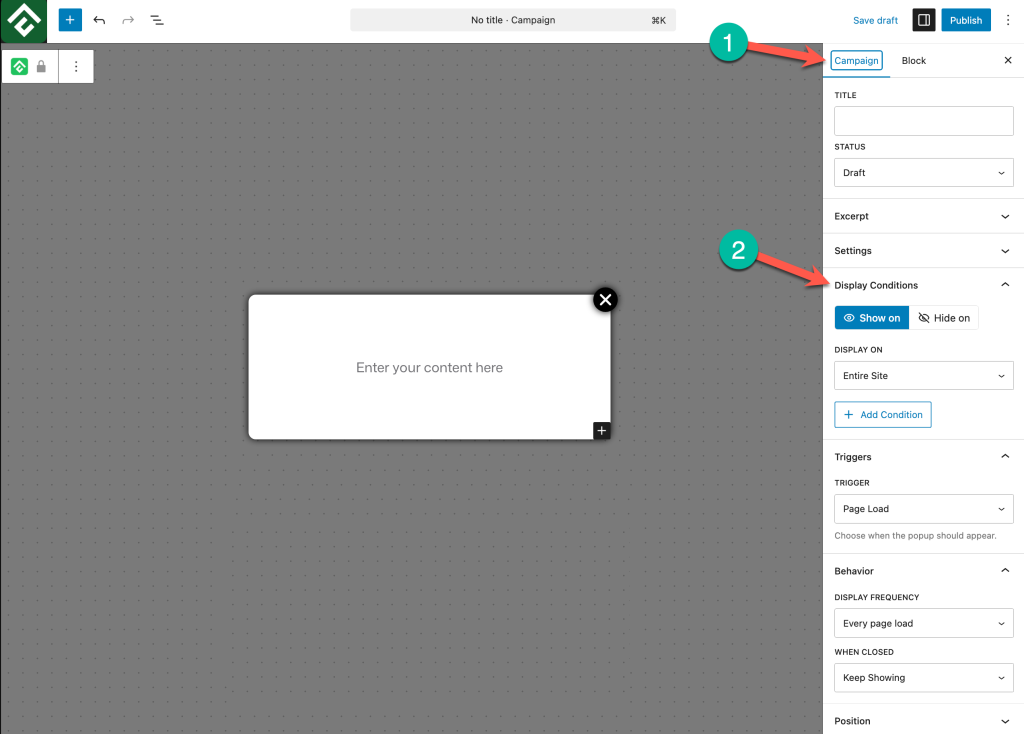
Show On vs. Hide On
Every display condition has two modes:
- Show on — The campaign will appear on the selected pages or content types.
- Hide on — The campaign will be hidden from the selected pages or content types.
These two modes can be combined using multiple conditions to create precise targeting rules. For example, a campaign can be set to show on the entire site but hide on posts in a specific category.
Display Scopes
The Display On dropdown offers three scopes that determine where a campaign appears: Entire Site, Singular, and Archive.
Entire Site
The campaign appears on every page and post across the site. This is the default setting and is ideal for site-wide announcements, notification bars, or promotions that should be visible everywhere.
Singular
The campaign appears on specific individual pages or posts. Selecting Singular reveals a Singular Type dropdown with options grouped under Page and Post.
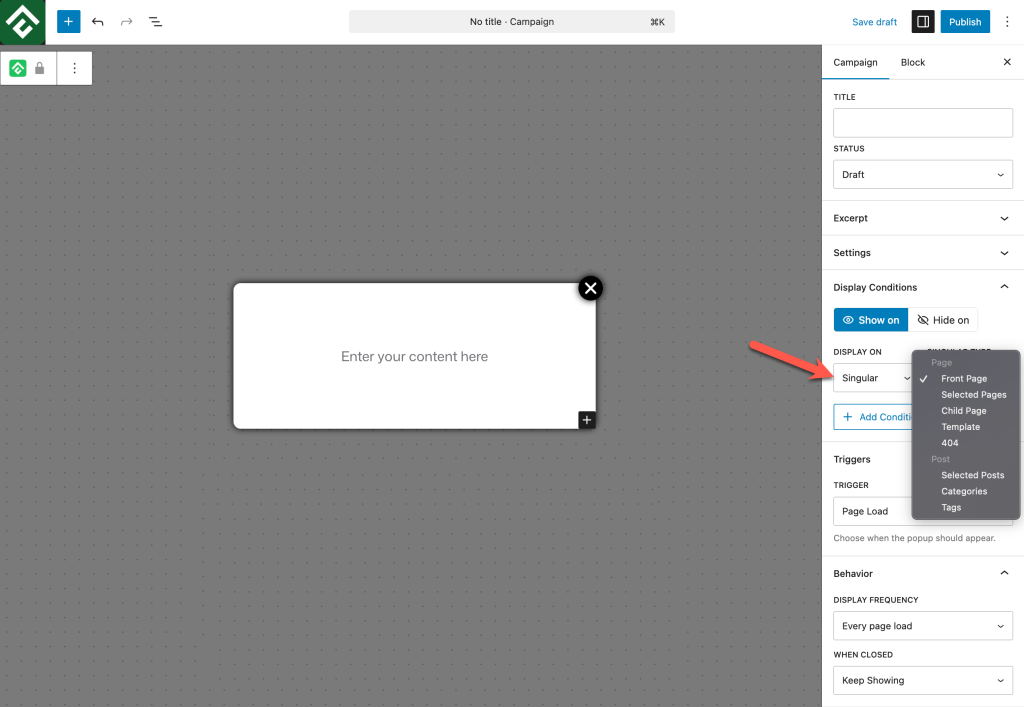
Page options:
- Front Page — The site’s homepage only.
- Selected Pages — Choose specific pages from a searchable list.
- Child Page — All child pages of a parent page.
- Template — Pages using a specific page template.
- 404 — The 404 error page.
Post options:
- Selected Posts — Choose specific posts from a searchable list.
- Categories — All posts within selected categories.
- Tags — All posts with selected tags.
When selecting options like Selected Pages, Selected Posts, Categories, or Tags, a searchable list appears where specific items can be picked individually. If no specific items are selected, the condition applies to all.
Archive
The campaign appears on archive pages. Selecting Archive reveals an Archive Type dropdown with the following options: All, Category, Tag, Author, Date, and Search.
Combining Multiple Conditions
Display conditions can be stacked by clicking + Add Condition. Each condition can independently use Show on or Hide on, and each can target a different scope.
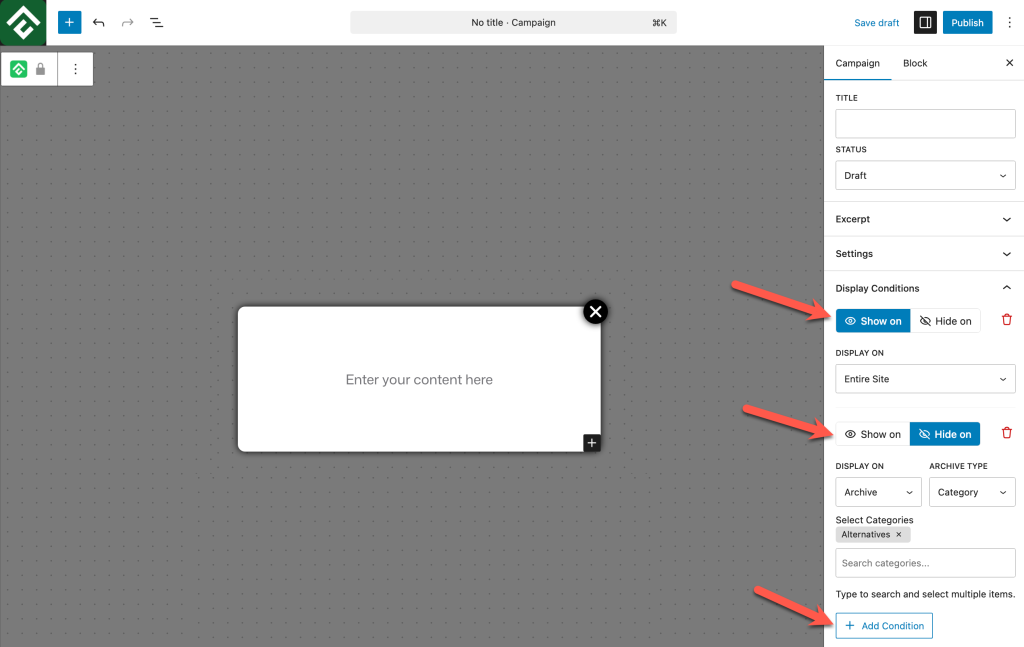
This makes it possible to create flexible targeting rules. Some common combinations:
- Show on Entire Site + Hide on 404 — Display everywhere except the error page.
- Show on Entire Site + Hide on specific pages — Display everywhere except checkout, cart, or policy pages.
- Show on Singular → Categories + Hide on Singular → Selected Posts — Display on all posts in a category except specific ones.
- Show on Singular → Front Page only — Display only on the homepage.
Each condition can be removed individually using the delete icon next to it.
Frequently Asked Questions
What is the default display condition?
By default, campaigns are set to Show on → Entire Site, meaning the campaign appears on every page and post.
Can I show a campaign only on the homepage?
Yes. Set Display On to Singular and Singular Type to Front Page.
Can I show a campaign on all pages except a few?
Yes. Add two conditions: Show on → Entire Site and Hide on → Singular → Selected Pages, then select the pages to exclude.
Can I target posts in a specific category?
Yes. Set Display On to Singular and Singular Type to Categories, then select the categories to target.
Can I show a campaign on search results pages?
Yes. Set Display On to Archive and Archive Type to Search.
What happens if Show on and Hide on conditions conflict?
Hide on conditions take priority. If a campaign is set to Show on Entire Site but also Hide on a specific page, it will not appear on that page.