
Running a business website on WordPress means stitching together a handful of plugins to handle the things WordPress core doesn’t cover: SEO, security, backups, speed, forms, email marketing, analytics, and conversion. The right stack depends on what your business actually does — a service business needs different tools than a WooCommerce store — but most business sites share the same foundational needs.
This guide covers 15 WordPress plugins that consistently show up in business stacks, organized by the job they do. Every entry includes what the plugin is, who it’s best for, and current pricing so you can match tools to your situation instead of installing everything on the list.
| # | Plugin | Category | Free Version | Pricing (from) |
|---|---|---|---|---|
| 1 | Rank Math | SEO | Yes | $6.99/mo |
| 2 | Wordfence | Security | Yes | $119/yr |
| 3 | UpdraftPlus | Backup | Yes | $70/yr |
| 4 | WP Rocket | Caching / Speed | No | $59/yr |
| 5 | ShortPixel | Image Optimization | Yes (100/mo) | $3.99/mo |
| 6 | Fluent Forms | Forms | Yes | $79/yr |
| 7 | FluentCRM | Email Marketing / CRM | No | $129/yr |
| 8 | ConvertForce | Popups & Notification Bars | Yes | Pro coming soon |
| 9 | MonsterInsights | Google Analytics | Yes | $99.60/yr |
| 10 | Tidio | Live Chat | Yes | $29/mo |
| 11 | WooCommerce | eCommerce | Yes | Free core |
| 12 | Elementor | Page Builder | Yes | $59/yr |
| 13 | Link Whisper | Internal Linking | No | $97/yr |
| 14 | CookieYes | Cookie Consent / GDPR | Yes | $10/mo |
| 15 | Akismet | Spam Protection | Yes (personal) | $10/mo |
1. Rank Math (SEO)
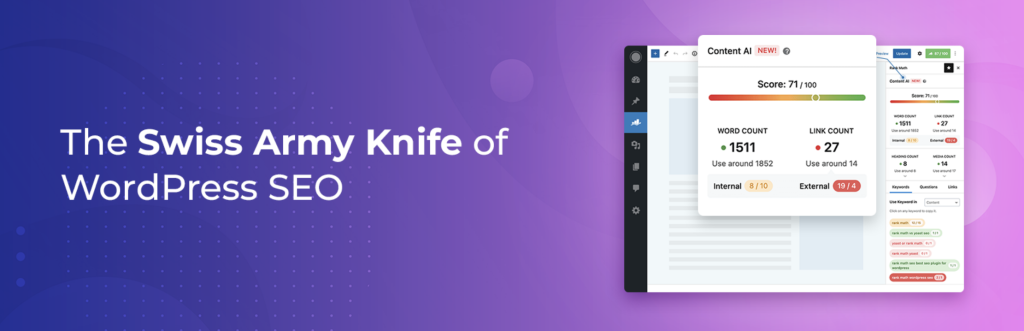
Rank Math is a search engine optimization plugin that helps WordPress sites rank in Google by guiding on-page SEO, generating XML sitemaps, and adding schema markup.
The free version is unusually generous compared to alternatives. It covers unlimited keyword tracking per post, Google Search Console integration, 20+ schema types, redirection management, and 404 monitoring — features many competing plugins lock behind a paywall. The setup wizard walks new users through connecting Search Console, configuring sitemaps, and setting title and meta defaults.
Rank Math Pro adds more advanced schema types, deeper analytics inside the WordPress dashboard, and tracking for up to 1,000 keywords per post.
Best for: Any business site that wants search traffic. Most users will be fine on the free version for a long time.
Pricing: Free; Pro from $6.99/month billed annually.
2. Wordfence (Security)

Wordfence is a WordPress security plugin that combines an endpoint firewall, malware scanner, and login protection in a single tool.
The firewall blocks known attack patterns before they hit your site, and the scanner checks core files, themes, and plugins against the WordPress.org repository to flag tampered code. Login security features include two-factor authentication, login attempt limiting, and reCAPTCHA support. Free users get firewall rules and malware signatures on a 30-day delay; Premium gets them in real time.
Wordfence is a heavier plugin than some alternatives, so it can add noticeable overhead on shared hosting. Sites already protected at the server or CDN level (Cloudflare, managed WordPress hosts) may get more value from a lighter-weight option.
Best for: Business sites on standard hosting that want a single security plugin covering most threats.
Pricing: Free; Premium from $119/year.
3. UpdraftPlus (Backup)

UpdraftPlus is a WordPress backup plugin that schedules automatic backups of your files and database and stores them in remote cloud storage.
It supports Dropbox, Google Drive, Amazon S3, Microsoft OneDrive, Backblaze, and several others in the free version. Restoration is handled from inside WordPress — you don’t need to manually upload anything via FTP. Scheduling is flexible (hourly, daily, weekly, monthly) and you can set separate retention policies for file and database backups.
The paid version adds incremental backups, encrypted storage, multisite support, and the ability to clone or migrate a site to a new host. For most small business sites, the free version is enough as long as you configure off-site storage.
Best for: Any WordPress site that isn’t already backed up by its host. Always set up off-site storage — local backups on the same server don’t protect against host-level failures.
Pricing: Free; Premium from $70/year.
4. WP Rocket (Caching and Speed)
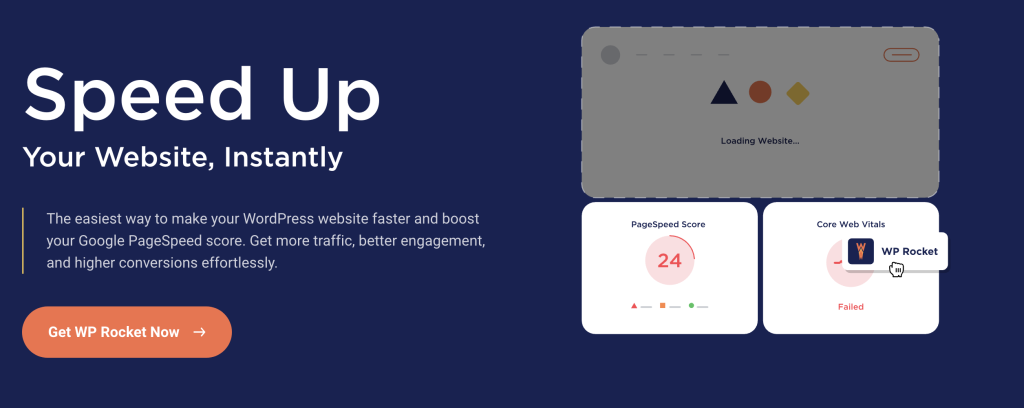
WP Rocket is a premium caching plugin that handles page caching, browser caching, file minification, lazy loading, and database cleanup from a single interface.
Unlike most caching plugins, WP Rocket works out of the box with minimal configuration — the default settings produce good results on most sites without tweaking. It also includes features that typically require separate plugins: critical CSS generation, font preloading, and image lazy loading. The plugin is frequently benchmarked against free alternatives like LiteSpeed Cache and W3 Total Cache and generally holds up well, though results depend heavily on your hosting and theme.
LiteSpeed Cache is a strong free alternative if your host runs LiteSpeed or OpenLiteSpeed servers. On other hosting stacks, WP Rocket is usually the simpler path to measurable speed gains.
Best for: Business sites where speed affects conversions and the team doesn’t want to tune cache settings manually.
Pricing: $59/year for a single site.
5. ShortPixel (Image Optimization)

ShortPixel is an image optimization plugin that compresses JPEG, PNG, GIF, and WebP files to reduce page weight without visible quality loss.
It offers three compression modes (lossy, glossy, lossless) and can automatically convert images to WebP or AVIF on the fly, serving modern formats to browsers that support them. Compression happens on ShortPixel’s servers, so it doesn’t tax your own hosting. The free tier covers 100 images per month, which is enough for small sites but not high-volume publishers.
Alternatives include Smush (simpler, free tier more generous but weaker compression) and Imagify (from the WP Rocket team, similar feature set).
Best for: Content-heavy business sites where image weight is dragging down page speed.
Pricing: Free (100 images/month); paid plans from $3.99/month.
6. Fluent Forms (Forms)
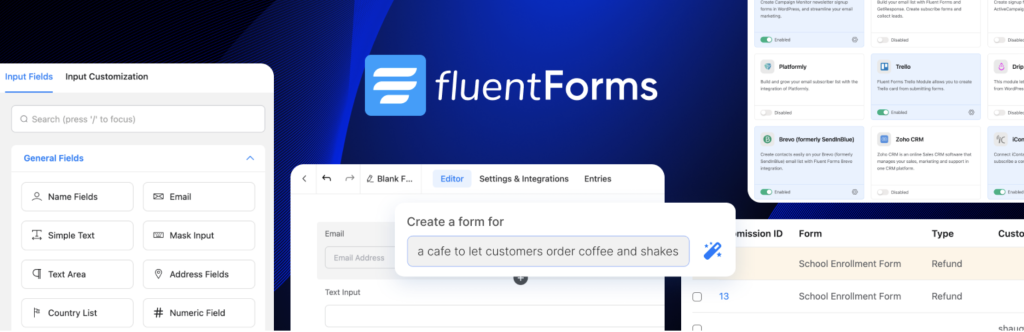
Fluent Forms is a drag-and-drop form builder for WordPress that handles contact forms, quote requests, surveys, registration forms, and payment forms.
The free version includes conditional logic, multi-step forms, and integrations with Mailchimp and Slack — features that competitors like WPForms and Gravity Forms typically gate behind premium tiers. The builder is fast and doesn’t rely on a separate dashboard. Pro adds payment gateway integrations (Stripe, PayPal, Razorpay), more third-party integrations, and advanced conditional confirmations.
WPForms is the more widely known alternative with a larger template library, and Gravity Forms is the long-standing choice for developer-heavy projects. Fluent Forms tends to win on value for the free and entry-level tiers.
Best for: Business sites that need serious form functionality without paying for a premium tier immediately.
Pricing: Free; Pro from $79/year.
7. FluentCRM (Email Marketing)

FluentCRM is a self-hosted email marketing and CRM plugin that runs entirely inside WordPress instead of relying on a third-party service like Mailchimp or ConvertKit.
Because it’s self-hosted, you pay a flat annual fee instead of per-subscriber pricing — a significant cost advantage for lists above a few thousand contacts. It handles contact segmentation, automated email sequences, broadcast campaigns, and detailed analytics. Integrations with WooCommerce, LearnDash, MemberPress, and Easy Digital Downloads let you trigger automations based on purchases, course enrollments, or membership events.
The tradeoff is that you’re responsible for email deliverability. FluentCRM sends through your own SMTP provider (Amazon SES, SendGrid, Postmark, etc.), so you need to set that up separately and warm up a sending domain if you’re starting from scratch.
Best for: Businesses with growing email lists who want to escape per-subscriber pricing and keep their contact data on their own server.
Pricing: $129/year for a single site.
8. ConvertForce (Popups and Notification Bars)
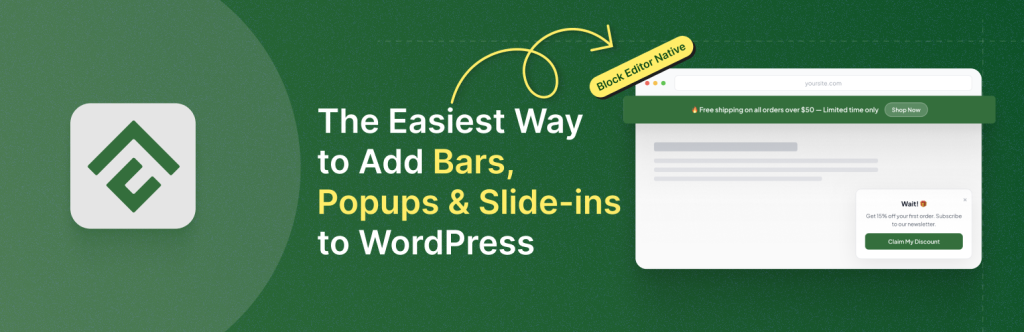
ConvertForce is a conversion plugin for creating notification bars, lightbox popups, and slide-in campaigns using the native Gutenberg block editor.
Every campaign is built with the same blocks you already use for posts and pages, which means no separate visual builder, no proprietary drag-and-drop canvas, and no learning curve for teams already comfortable with Gutenberg. Campaigns work across campaign types — announcement bars for promotions, welcome popups for new visitors, and slide-ins for lead capture — with display rules to control where each one appears. The plugin is designed to stay lightweight on the front end.
ConvertForce is early-stage. The free version is live on WordPress.org, and a Pro version is in development with advanced triggers (exit intent, scroll depth, user inactivity), analytics, and email integration planned. It currently doesn’t support live social proof notifications or third-party integrations, so teams that need those features should look at OptinMonster or Thrive Leads. ConvertForce also doesn’t work with the Classic Editor plugin — it requires Gutenberg.
Best for: Gutenberg-first sites that want simple, blocks-native popups and notification bars without loading a page builder.
Pricing: Free; Pro coming soon.
9. MonsterInsights (Google Analytics)
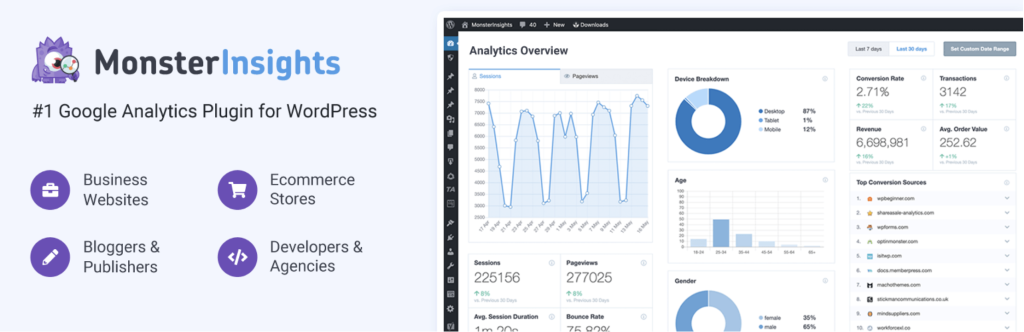
MonsterInsights connects Google Analytics 4 to WordPress and displays reports inside the WordPress dashboard without requiring you to manually add tracking code or configure enhanced measurement.
The setup wizard handles GA4 property creation, tracking code installation, and event configuration. Reports show traffic sources, top pages, device breakdowns, and — in the paid version — form conversions, scroll depth, file downloads, and WooCommerce revenue attribution. The free version covers basic reporting; Pro unlocks eCommerce tracking, custom dimensions, and form tracking.
If you’re comfortable installing GA4 manually and don’t need in-dashboard reports, you can skip MonsterInsights and use Site Kit by Google (free, made by Google) instead. MonsterInsights’ main value is making GA4 accessible to non-technical site owners.
Best for: Business owners who want to check their analytics without leaving WordPress.
Pricing: Free; Plus from $99.60/year.
10. Tidio (Live Chat)

Tidio is a live chat and chatbot plugin that adds a chat widget to your site and routes conversations through a shared inbox.
The free tier includes up to 50 chatbot conversations per month, unlimited live chat with up to 3 operators, and basic visitor tracking. Paid plans add more operators, chatbot templates, advanced automation, and integrations with Messenger, Instagram, and email. The chatbots can handle common questions automatically, which is useful for reducing inbox volume on service businesses that field the same questions repeatedly.
Alternatives include LiveChat (more feature-rich, more expensive), Crisp (generous free tier, clean interface), and Chaty (not a chat tool itself but a floating-button plugin that links to WhatsApp, Messenger, and other platforms — a good lightweight option).
Best for: Service businesses and eCommerce stores where questions directly affect conversions.
Pricing: Free; paid plans from $29/month.
11. WooCommerce (eCommerce)

WooCommerce is the eCommerce plugin that turns WordPress into an online store. It powers a large share of the world’s eCommerce sites and is free to install.
The core plugin handles products, cart, checkout, payments (via gateway extensions), shipping, taxes, and order management. Its strength is the ecosystem — thousands of extensions and themes extend it into subscription stores, booking platforms, marketplaces, and more. Its weakness is that it gets expensive fast once you start adding official paid extensions, and performance requires deliberate attention on larger catalogs.
If you’re only selling a handful of digital products, Easy Digital Downloads is a lighter-weight alternative built specifically for that use case.
Best for: Any business selling physical or digital products through WordPress.
Pricing: Free core; extensions priced individually.
12. Elementor (Page Builder)
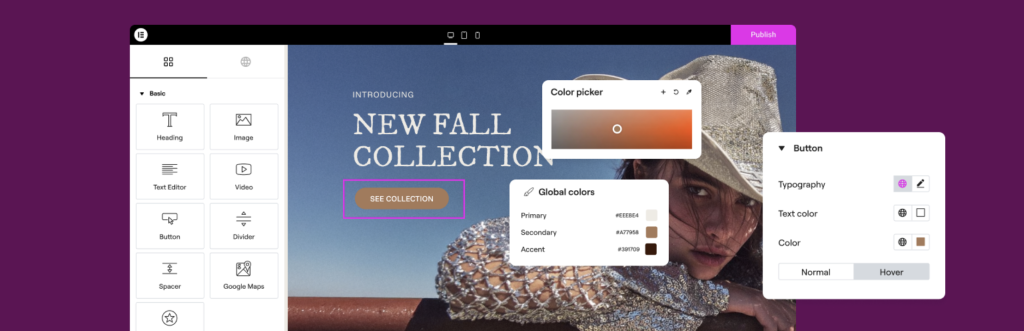
Elementor is a drag-and-drop page builder that lets non-developers design landing pages, sales pages, and custom layouts without touching code.
The free version covers the core builder, a library of widgets, and basic templates. Elementor Pro adds a theme builder (custom headers, footers, single post templates), a popup builder, form widgets, WooCommerce widgets, and dynamic content support. It’s the most widely used page builder on WordPress, which means themes, templates, and third-party add-ons are abundant.
Page builders add weight to your site, so teams prioritizing performance sometimes prefer sticking to the native Gutenberg block editor with a block library plugin. Alternatives include Bricks Builder (newer, performance-focused, developer-friendly) and Breakdance (from the SoFlyy team).
Best for: Business sites that need design flexibility without hiring a developer. Skip it if you’re already comfortable with the block editor.
Pricing: Free; Pro from $59/year.
13. Link Whisper (Internal Linking)
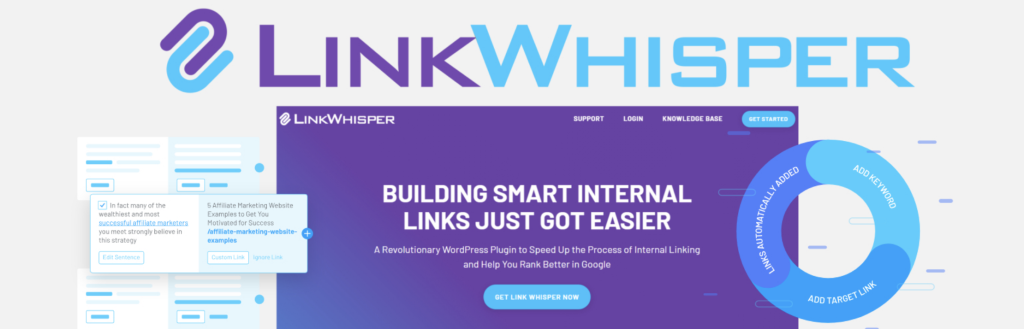
Link Whisper is an internal linking plugin that suggests relevant internal links as you write, helping distribute link equity across your site and improve topical authority.
It scans your existing content and recommends links based on keyword relevance. The plugin also flags orphaned posts (posts with no internal links pointing to them) and broken internal links, which are common technical SEO issues on older sites. The Pro version adds automatic linking rules, Google Search Console integration, and link reporting by page.
There’s no free version, which is the main drawback. Alternatives include Internal Link Juicer (freemium) and manually building internal links with a spreadsheet, which is free but time-consuming.
Best for: Content-heavy business sites with 50+ posts where manual internal linking has become a chore.
Pricing: From $97/year.
14. CookieYes (Cookie Consent and GDPR)
CookieYes is a cookie consent banner plugin that helps WordPress sites comply with GDPR, CCPA, LGPD, and other privacy regulations.
It automatically scans your site to identify cookies, categorizes them (necessary, analytics, marketing, etc.), and displays a customizable consent banner to visitors. The free version covers a branded banner, basic customization, and standard compliance features. Paid plans remove CookieYes branding, unlock advanced customization, and add consent logging, geo-targeted banners, and multilingual support.
Alternatives include Complianz (strong free tier, automated legal page generation) and Iubenda (a separate service, stronger legal framework but more expensive).
Best for: Any business site serving visitors from the EU, UK, or California — which in practice means most sites.
Pricing: Free; paid plans from $10/month.
15. Akismet (Spam Protection)

Akismet is the comment and form spam filter made by Automattic, the company behind WordPress.com. It’s pre-installed on every WordPress site and only needs activation and an API key to start working.
It filters spam comments and form submissions by checking them against a global database of known spam patterns. The free tier (Personal plan) is available for non-commercial sites; commercial sites are technically expected to pay, though enforcement is loose. For sites with heavy comment sections, Akismet’s catch rate is high enough that it usually doesn’t need help from other anti-spam tools.
If you’d rather not use Akismet, Antispam Bee is a fully free, GDPR-friendly alternative that works well for most small sites.
Best for: Any WordPress site with an open comment section or public form.
Pricing: Free for personal use; commercial plans from $10/month.
How to Choose the Right Plugins for Your Business Site
You don’t need all 15. A reasonable starting stack for most business sites looks like this:
- Foundational (install on every site): Rank Math, Wordfence (or your host’s security), UpdraftPlus, a caching plugin (WP Rocket or free alternative), ShortPixel, Akismet, CookieYes.
- Depends on what you do: WooCommerce if selling, FluentCRM if doing email marketing, Fluent Forms for any lead capture, ConvertForce or similar for opt-ins, Tidio if support volume is high, Elementor only if you need design flexibility beyond Gutenberg.
Before installing anything, check whether your hosting already provides it. Most managed WordPress hosts include backups, caching, and some level of security at the server level — duplicating those with plugins adds weight without adding protection.
Also worth noting: every active plugin is code that loads on your site, gets updated, and occasionally conflicts with other plugins. The goal is the minimum stack that does the job, not the maximum.
Frequently Asked Questions
How many plugins is too many for a WordPress business site?
There’s no hard number. Plugin count matters less than plugin quality and what each one does. A site with 30 well-coded, lightweight plugins can outperform a site with 10 bloated ones. The real question is whether each active plugin earns its place.
Are free WordPress plugins safe to use?
Plugins from the official WordPress.org repository go through a basic review process and are generally safe. Risks come from abandoned plugins (no security updates), nulled premium plugins from unofficial sources (often contain malware), and plugins with small developer teams that may not patch vulnerabilities quickly. Check last-updated dates and active install counts before installing anything.
Do I need a page builder like Elementor for a business site?
Not necessarily. The native WordPress block editor (Gutenberg) has matured enough to handle most business site layouts, especially when paired with a block-based theme or a block library plugin. Page builders add flexibility but also add page weight and lock your content into a specific builder’s format.
What’s the difference between a popup plugin and a form plugin?
Form plugins (like Fluent Forms) build forms you embed in pages and posts. Popup plugins (like ConvertForce) display forms or messages as overlays, slide-ins, or notification bars triggered by user behavior. Most business sites need both — forms for static contact and checkout pages, popups for opt-ins and announcements.
Can I use multiple caching plugins at once?
No. Running two caching plugins simultaneously causes conflicts and often makes the site slower, not faster. Pick one and disable any caching features provided by other plugins or your host (or pick the host’s caching and skip the plugin).
Which plugins are required for GDPR compliance?
There’s no single “GDPR plugin” that makes you compliant — compliance depends on what data you collect and how you handle it. That said, a cookie consent banner (CookieYes, Complianz) handles the visible part, and ensuring your forms and email marketing tools support explicit opt-in covers another big piece. Legal pages and a data processing agreement with your host round out the basics.
Conclusion
The best WordPress plugin stack for a business website is the smallest one that actually serves your business. Start with the foundational layer — SEO, security, backups, speed, spam — then add plugins that map directly to how you make money: forms for leads, email marketing for nurture, popups for opt-ins, WooCommerce for sales, analytics to measure what’s working.
Every plugin on this list has alternatives worth considering, and the right choice usually comes down to what you already know, what integrates with the rest of your stack, and what your hosting already handles for you. Install deliberately, audit quarterly, and delete anything you’re not actively using.
Leave a Reply