
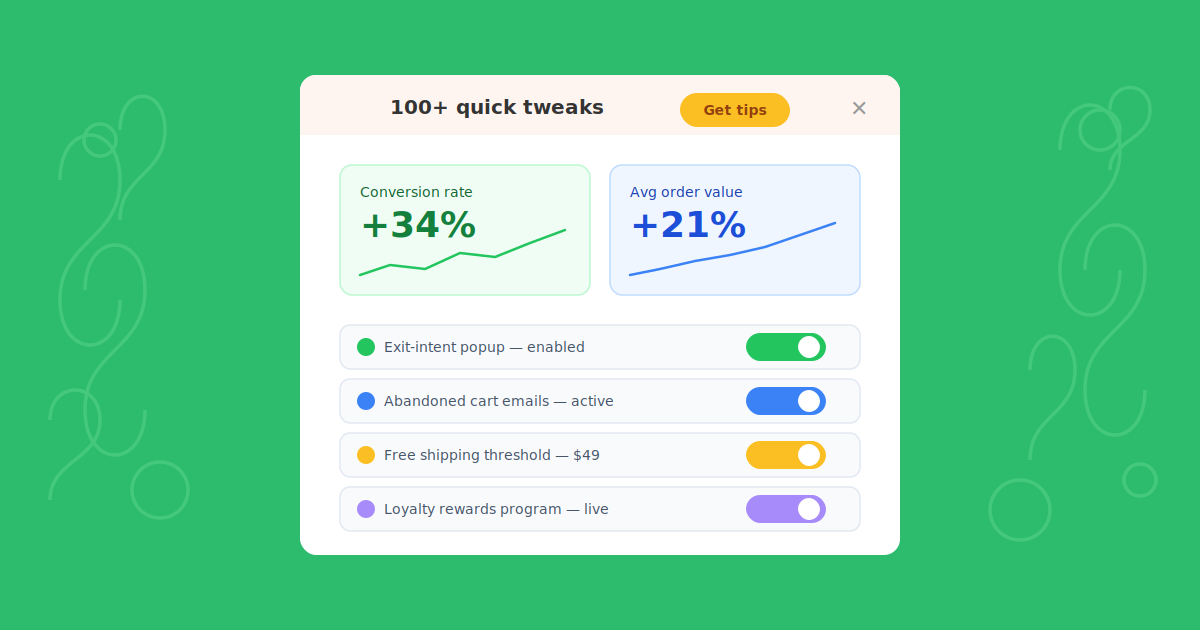
Running a WooCommerce store is exciting — but let’s be honest, getting consistent sales can feel like an uphill battle. The good news? You don’t always need a complete overhaul to see real improvements. Sometimes, a handful of small, strategic tweaks can move the needle more than you’d expect.
In this post, we’ve compiled over 100 actionable changes you can start making today — whether you’re just launching your first WooCommerce store or looking to squeeze more revenue out of an established one.
Let’s dive in.
Store Design Tweaks
Your store’s design is the first thing visitors notice — and first impressions matter. These tweaks will help you create a more polished, trustworthy, and conversion-friendly storefront.
1. Optimize Your Homepage Your homepage sets the tone. Keep it clean and focused — highlight best-selling products, feature active promotions, and make your primary call-to-action (CTA) impossible to miss. Avoid clutter. Every element should earn its place.
2. Enhance Product Pages Use multiple high-quality images from different angles. Write detailed descriptions that focus on benefits, not just specs. Include size guides where applicable. And don’t skip customer reviews — they’re one of the most powerful trust signals you can add to a product page.
3. Streamline Navigation If customers can’t find what they’re looking for within a few seconds, they’ll leave. Use clear product categories and subcategories. Add a search bar (WooCommerce supports this natively, or you can use plugins like SearchWP for better results). Keep your menu structure shallow and intuitive.
4. Mobile Optimization More than half of eCommerce traffic comes from mobile devices. Make sure your WordPress theme is fully responsive, images are optimized for fast loading, and buttons are large enough to tap comfortably. Test your store on multiple devices regularly.
5. Add Trust Badges Display trust badges for secure payments (SSL), money-back guarantees, and any relevant certifications. Place them on your homepage, product pages, and especially the checkout page. Small visual cues like these can reduce purchase anxiety significantly.
6. Improve Page Load Speed Slow sites kill conversions. Use tools like Google PageSpeed Insights or GTmetrix to find bottlenecks. Compress images (ShortPixel or Imagify work great with WordPress), enable caching with a plugin like WP Super Cache or W3 Total Cache, and consider a CDN like Cloudflare.
7. Implement Sticky Navigation A sticky header keeps your menu visible as users scroll, making it easier for them to navigate without scrolling back to the top. Most modern WordPress themes support this, or you can add it with a lightweight plugin.
8. Use High-Quality Fonts Typography matters more than most store owners realize. Stick to clean, readable fonts and keep your font choices consistent across the site. Google Fonts integrates easily with WordPress and offers plenty of professional options.
9. Include Video Content Product videos can dramatically increase engagement and conversions. Show the product in action, demonstrate features, or share a quick unboxing. You can embed YouTube or Vimeo videos directly into your WooCommerce product pages.
10. Optimize Product Titles and Descriptions for SEO Use relevant keywords naturally in your product titles and descriptions. Plugins like Yoast SEO or Rank Math make it straightforward to optimize each product page for search engines without over-stuffing keywords.
Conversion Rate Optimization
Getting traffic is only half the battle. These tweaks focus on turning more of your visitors into paying customers.
11. Implement Exit-Intent Popups Catch visitors before they leave with an exit-intent popup offering a discount, free shipping, or a lead magnet. WordPress plugins like ConvertForce or OptinMonster make this easy to set up without touching code.
12. Use Countdown Timers Create urgency with countdown timers on limited-time offers. When customers see a ticking clock, they’re more likely to act fast rather than “come back later” (which usually means never).
13. Offer Free Shipping Free shipping remains one of the strongest purchase motivators in eCommerce. If offering it on every order isn’t feasible, set a minimum order threshold — this also helps increase your average order value.
14. Simplify the Checkout Process WooCommerce’s default checkout can be streamlined significantly. Reduce form fields to the essentials, enable guest checkout, and offer multiple payment options. Plugins like CartFlows or FunnelKit can help you build optimized checkout flows.
15. A/B Test Everything Don’t guess — test. Try different headlines, product images, button colors, CTAs, and page layouts. Tools like Google Optimize (or Nelio A/B Testing for WordPress) let you run experiments and make decisions based on real data.
16. Add Live Chat Support Real-time support can rescue hesitant buyers. A quick answer to a sizing question or shipping concern can be the difference between a sale and an abandoned cart. Plugins like Tidio or LiveChat integrate seamlessly with WooCommerce.
17. Use Social Proof Display product reviews, star ratings, and testimonials prominently. Show “X people bought this recently” notifications. Social proof reassures visitors that others trust your store.
18. Offer Multiple Payment Options Don’t lose sales because you only accept credit cards. Add PayPal, Stripe, Apple Pay, Google Pay, and buy-now-pay-later options like Klarna or Afterpay. WooCommerce has extensions for all of these.
19. Implement a Loyalty Program Reward repeat purchases with a points-based loyalty system. Plugins like WooCommerce Points and Rewards or YITH WooCommerce Points and Rewards make setup straightforward.
20. Use Clear and Compelling CTAs Your calls-to-action should be specific, action-oriented, and visually prominent. “Add to Cart” is fine, but testing variations like “Get Yours Now” or “Buy Today — Ships Free” can sometimes outperform the default.
Marketing Tweaks
Great products won’t sell themselves. These marketing tweaks help you drive more targeted traffic and get more out of every visitor.
21. Leverage Email Marketing Build your email list from day one. Send regular newsletters with product launches, promotions, and genuinely useful content. Personalized emails consistently outperform generic blasts. Tools like Mailchimp, ConvertKit, or FluentCRM (WordPress-native) work well with WooCommerce.
22. Showcase Customer Reviews Feature customer reviews and testimonials across your site — not just on product pages. Highlight specific, detailed reviews that address common buyer concerns.
23. Run Limited-Time Promotions Flash sales and time-limited discounts create urgency. Promote them across your homepage, email list, and social channels. WooCommerce’s built-in sale scheduling makes this easy.
24. Use Influencer Marketing Partner with influencers in your niche who have engaged audiences (not just big follower counts). Even micro-influencers with 5K-20K followers can drive meaningful traffic and sales if their audience aligns with your products.
25. Create Engaging Content Start a blog on your WordPress site. Share buying guides, how-to content, industry news, and product comparisons. Good content attracts organic traffic and positions your store as an authority.
26. Leverage User-Generated Content Encourage customers to share photos and videos of your products on social media. Feature this content on your product pages and homepage. It’s authentic, free, and incredibly effective.
27. Offer Exclusive Deals to Email Subscribers Give your email list a reason to exist — exclusive early access, subscriber-only discounts, or first dibs on new products. This drives sign-ups and keeps your list engaged.
28. Use Retargeting Ads Most visitors won’t buy on their first visit. Retargeting ads on Facebook, Instagram, and Google remind them about products they viewed and bring them back to complete the purchase.
29. Host Giveaways and Contests Social media giveaways can rapidly grow your audience and email list. Keep entry requirements simple — follow, tag a friend, share — and make sure the prize is relevant to your target customer.
30. Set Up an Affiliate Program Let others promote your products for a commission. Plugins like AffiliateWP or SliceWP make it simple to run an affiliate program directly from your WordPress site.
Customer Experience Enhancements
A great customer experience turns one-time buyers into repeat customers and brand advocates.
31. Personalize the User Experience Use browsing history and purchase data to show relevant product recommendations. WooCommerce extensions and plugins can automate this, making each visitor’s experience feel tailored.
32. Implement Live Chat We mentioned this under CRO, but it’s worth repeating in the context of customer experience. Quick, helpful live chat responses build trust and loyalty beyond just the immediate sale.
33. Enhance Product Recommendations “You may also like” and “Frequently bought together” suggestions can meaningfully increase average order value. WooCommerce has built-in related products, but plugins like Product Recommendations by WooCommerce offer more control.
34. Follow Up After Purchases Send a thank-you email after every order. A few days later, follow up asking for a review. These touchpoints show customers you care and generate valuable social proof.
35. Provide Excellent Customer Support Respond quickly, be genuinely helpful, and go the extra mile when things go wrong. Great support turns a potentially negative experience into a loyalty-building moment.
36. Offer Flexible Return Policies A generous return policy reduces the perceived risk of buying online. Clearly communicate your policy on product pages and during checkout.
37. Act on Customer Feedback Regularly collect feedback through surveys or post-purchase emails. More importantly, actually use it. When customers see their suggestions implemented, they become invested in your brand.
38. Add a Wishlist Feature Let customers save products for later. Plugins like YITH WooCommerce Wishlist make this easy. Wishlists also give you data on what products people are interested in — useful for email campaigns and restocking decisions.
39. Create a Seamless Omnichannel Experience If you sell across multiple channels (your WooCommerce store, marketplaces, social), keep the experience consistent — branding, pricing, and support should feel unified.
40. Make Order Tracking Easy Provide clear order tracking information via email and a dedicated tracking page. Reducing “where is my order?” anxiety improves the overall experience.
Analytics and Performance
You can’t improve what you don’t measure. These tweaks help you make smarter, data-driven decisions.
41. Monitor Key Metrics Track conversion rate, average order value, customer acquisition cost, and customer lifetime value. WooCommerce Analytics (built-in) gives you a good starting point. Pair it with Google Analytics for deeper insights.
42. Use Heatmaps Heatmap tools like Hotjar or Microsoft Clarity show you exactly how visitors interact with your pages — where they click, how far they scroll, and what they ignore. Use this data to optimize layouts and CTAs.
43. Track Customer Behavior Go beyond page views. Understand the full customer journey: where they enter, what they browse, where they drop off, and what finally gets them to convert. Google Analytics 4 with WooCommerce integration handles this well.
44. Optimize Load Time We covered this in design, but it’s worth emphasizing from a performance standpoint. Every extra second of load time costs you conversions. Aim for under 3 seconds. Regularly audit with GTmetrix or PageSpeed Insights.
45. Keep Your Store Updated Regularly update WordPress core, your theme, and all plugins. Updates bring security patches, performance improvements, and new features. Just make sure to back up before updating.
46. Conduct Regular Site Audits Check for broken links, 404 errors, outdated content, and plugin conflicts. Tools like Broken Link Checker (WordPress plugin) or Screaming Frog can help automate this.
47. Use UTM Parameters Tag your marketing URLs with UTM parameters to track exactly which campaigns, channels, and content pieces drive traffic and sales. This is free to do and invaluable for optimizing ad spend.
48. Analyze Traffic Sources Know where your visitors come from — organic search, paid ads, social, email, referrals. Double down on what’s working and fix or cut what isn’t.
49. Set Up Conversion Goals In Google Analytics, configure goals for key actions: completed purchases, email sign-ups, add-to-cart events. This gives you clear visibility into your funnel performance.
50. Monitor Cart Abandonment WooCommerce doesn’t track this natively, but plugins like WooCommerce Cart Abandonment Recovery or Retainful can help. Understand why carts are abandoned and address those friction points.
Advanced Strategies
Once you’ve nailed the basics, these more advanced tactics can take your store to the next level.
51. Implement Dynamic Pricing Adjust prices based on demand, customer segments, or purchase history. WooCommerce dynamic pricing plugins let you create sophisticated pricing rules without manual effort.
52. Offer Subscription Services If you sell consumable or replenishable products, subscriptions provide predictable recurring revenue. WooCommerce Subscriptions is the go-to plugin for this.
53. Utilize Augmented Reality (AR) AR is becoming more accessible. Let customers visualize products in their space (especially useful for furniture, decor, and accessories). WordPress plugins and third-party integrations are starting to make this viable.
54. Leverage AI Tools Use AI for personalized product recommendations, automated customer support chatbots, dynamic email content, and inventory forecasting. The WordPress ecosystem has growing AI plugin options.
55. Expand to International Markets WooCommerce supports multi-currency and multilingual setups through plugins like WPML and WooCommerce Multi-Currency. If your product has global appeal, localization can unlock significant new revenue.
56. Sell on Multiple Channels List your WooCommerce products on Amazon, eBay, Etsy, and social commerce platforms. Plugins like WP-Lister or Codisto sync your inventory across channels.
57. Use Geotargeting Customize content, offers, and even product visibility based on visitor location. This allows you to run region-specific promotions and display relevant shipping information automatically.
58. Integrate with a CRM Connect WooCommerce to a CRM like HubSpot, Jetpack CRM, or FluentCRM to manage customer relationships, automate follow-ups, and segment your audience more effectively.
59. Automate Inventory Management Use inventory management tools that sync with WooCommerce to prevent overselling, automate reorder alerts, and keep stock levels accurate across all sales channels.
60. Launch a Referral Program Word-of-mouth is powerful. Formalize it with a referral program that rewards customers for bringing in new buyers. Plugins like ReferralCandy or AutomateWoo can handle the logistics.
Content Marketing
Content is a long-term investment that compounds over time. These strategies help you build organic traffic and authority.
61. Start a Blog WordPress is literally built for blogging — use that advantage. Publish content that helps your target customer: buying guides, how-tos, product comparisons, and industry insights.
62. Create How-To Guides Detailed guides that show customers how to get the most out of your products are excellent for SEO and for reducing support requests.
63. Publish Customer Success Stories Case studies and success stories build credibility and give potential buyers a concrete vision of what your product can do for them.
64. Use Video Marketing Product demos, tutorials, behind-the-scenes content, and customer testimonials in video format tend to outperform text for engagement and conversions.
65. Host Webinars Webinars let you educate your audience, demonstrate expertise, and pitch your products in a value-first context. Record them and repurpose as evergreen content.
66. Develop Infographics Visual content gets shared more than text. Turn interesting data points or processes into shareable infographics for social media and link building.
67. Start a Podcast If your niche supports it, a podcast can build deep audience relationships. Interview industry experts, discuss trends, and casually mention your products when relevant.
68. Offer Downloadable Resources Ebooks, checklists, templates, and whitepapers work as lead magnets to grow your email list while providing genuine value.
69. Create Interactive Content Quizzes (“Find your perfect product”), calculators, and polls drive engagement and can guide visitors toward relevant products.
70. Optimize All Content for SEO Every blog post, product page, and landing page should be optimized for search. Use Yoast SEO or Rank Math, target relevant keywords, and build internal links between related content.
Social Media Marketing
Social media isn’t just for brand awareness — done right, it drives real traffic and sales.
71. Build a Consistent Social Presence Focus on the platforms where your target audience actually spends time. You don’t need to be everywhere — just consistent where it matters.
72. Engage Actively with Followers Don’t just post and disappear. Reply to comments, respond to DMs, and engage with your community. Social media is a two-way conversation.
73. Run Targeted Social Ads Paid social ads on Facebook, Instagram, and Pinterest can drive highly targeted traffic to your store. Start small, test different audiences and creatives, and scale what works.
74. Use Hashtags Strategically Research and use relevant hashtags to increase post visibility. Mix popular broad hashtags with niche-specific ones for the best reach.
75. Host Social Media Contests Contests and giveaways boost engagement and attract new followers. Make sure the prize appeals specifically to your target customer, not just freebie hunters.
76. Feature User-Generated Content Repost customer photos and videos on your profiles. It’s authentic social proof and makes your customers feel valued.
77. Collaborate with Influencers Find influencers whose audience matches your ideal customer. Focus on engagement rate over follower count — a smaller, engaged audience is worth more than a large, passive one.
78. Use Stories and Reels Short-form video content on Instagram and TikTok gets prioritized by algorithms. Use it to show products in action, share quick tips, or give behind-the-scenes glimpses.
79. Monitor Social Analytics Track what content performs best, when your audience is most active, and which posts drive actual traffic to your store. Let the data guide your content strategy.
80. Cross-Promote Across Platforms Adapt and share your content across different platforms. A blog post becomes a carousel on Instagram, a thread on X, and a short video on TikTok.
Email Marketing
Email remains one of the highest-ROI marketing channels for eCommerce. These tweaks help you get more out of every send.
81. Segment Your Email List Don’t send the same email to everyone. Segment by purchase history, browsing behavior, location, or engagement level. Targeted emails consistently outperform blanket sends.
82. Personalize Email Content Go beyond “Hi [First Name].” Recommend products based on past purchases, reference their last order, or tailor offers to their browsing behavior.
83. Send Abandoned Cart Emails This is arguably the highest-ROI email automation you can set up. A simple reminder — especially with a small incentive — can recover a significant percentage of lost sales. Plugins like WooCommerce Cart Abandonment Recovery automate this.
84. Create a Welcome Email Series When someone subscribes, don’t just send one email and go silent. Build a 3-5 email welcome series that introduces your brand, highlights bestsellers, and includes a first-purchase incentive.
85. Offer Subscriber-Exclusive Deals Give your email list perks that non-subscribers don’t get — early access to sales, exclusive discount codes, or members-only bundles.
86. Use Interactive Email Elements Add surveys, polls, product carousels, or countdown timers in your emails to boost engagement and click-through rates.
87. Optimize Emails for Mobile Most people read emails on their phones. Use responsive templates, keep subject lines short, and make CTAs large and tappable.
88. A/B Test Your Emails Test subject lines, send times, email length, CTA placement, and design. Small improvements in open and click rates compound over time.
89. Track Email Performance Monitor open rates, click-through rates, conversion rates, and unsubscribe rates. Use this data to continuously refine your email strategy.
90. Automate Re-Engagement Campaigns Set up automated sequences targeting subscribers who haven’t opened or clicked in a while. Offer a special incentive to win them back, and clean your list of truly inactive contacts.
Customer Retention
Acquiring a new customer costs 5-7x more than retaining an existing one. These strategies keep customers coming back.
91. Launch a Loyalty Program Reward repeat customers with points they can redeem for discounts or free products. It gives people a tangible reason to choose your store over competitors.
92. Provide Great Post-Purchase Support The customer experience doesn’t end at checkout. Proactive shipping updates, easy returns, and responsive support create lasting positive impressions.
93. Send Thank-You Notes A simple thank-you email (or even a handwritten note in the package) goes a long way. It humanizes your brand and makes customers feel appreciated.
94. Actively Seek Feedback Send post-purchase surveys. Ask what you could do better. Customers who feel heard are more likely to stay loyal — and their feedback is invaluable for improvement.
95. Create a VIP Program Identify your top customers and give them exclusive perks — early access, higher discounts, free shipping, or dedicated support. Make them feel like insiders.
96. Use Retargeting for Repeat Purchases Don’t just retarget new visitors. Run retargeting campaigns aimed at past customers, especially for replenishable products or new product launches.
97. Incentivize Referrals Happy customers are your best marketers. Make it easy (and rewarding) for them to refer friends with a structured referral program.
98. Build a Community Create a space where your customers can connect — a Facebook group, Discord server, or even a forum on your WordPress site. Communities drive loyalty and organic word-of-mouth.
99. Celebrate Customer Milestones Send automated emails for purchase anniversaries, birthdays, or loyalty milestones with a special offer attached. These small gestures build emotional connection.
100. Consistently Deliver Value At the end of the day, retention comes down to consistently delivering great products, excellent service, and a shopping experience worth coming back to.
Bonus: Continuous Improvement
101. Stay Updated with Industry Trends eCommerce moves fast. Follow industry blogs, join WooCommerce communities, and keep an eye on what’s working for stores in your niche.
102. Attend Webinars and Workshops Invest time in learning. WordCamps, WooCommerce meetups, and eCommerce conferences are great for picking up new strategies and making connections.
103. Invest in Your Skills Whether it’s learning Google Analytics, getting better at email copywriting, or understanding SEO — every skill you develop pays dividends.
104. Analyze Your Competitors Regularly check what your competitors are doing — their pricing, promotions, content, and customer experience. Identify gaps you can fill and strengths you can learn from.
105. Set and Review Goals Regularly Set specific, measurable goals for your store. Review them monthly. Adjust your strategy based on what the data tells you, not gut feelings.
Wrapping Up
You don’t need to implement all 105 tweaks at once. Pick 5-10 that feel most relevant to where your store is right now, implement them, measure the results, and iterate. Small, consistent improvements compound into significant growth over time.
The key is to start — and to keep going.
Leave a Reply