
WordPress core does a solid job of publishing content and handling the basics of a website, but it doesn’t do much to turn visitors into subscribers, leads, or customers. Increasing conversions on a WordPress site means plugging specific gaps: no email capture, weak social proof, no urgency, slow pages, no behavioral data, no follow-up, and no systematic way to test what actually moves the needle.
This guide covers 15 WordPress plugins that directly target those gaps, organized by the job each one does. Every entry includes what the plugin is, who it’s best for, and current pricing so you can build a stack that matches your site’s stage — not a maximum stack that slows your site down and spreads your attention too thin.
|
# |
Plugin |
Category |
Free Version |
Pricing (from) |
|---|---|---|---|---|
|
1 |
ConvertForce |
Popups & Notification Bars |
Yes |
Pro coming soon |
|
2 |
OptinMonster |
Lead Generation Suite |
No |
$7/mo |
|
3 |
SeedProd |
Landing Page Builder |
Yes |
$39.50/yr |
|
4 |
WPForms |
Forms |
Yes |
$49.50/yr |
|
5 |
Nelio A/B Testing |
A/B Testing |
Yes |
$55/mo |
|
6 |
TrustPulse |
Social Proof Notifications |
No |
$5/mo |
|
7 |
FluentCRM |
Email Marketing & Automation |
No |
$129/yr |
|
8 |
MonsterInsights |
Analytics & Goal Tracking |
Yes |
$99.50/yr |
|
9 |
HurryTimer |
Countdown Timers & Urgency |
Yes |
$39/yr |
|
10 |
Tidio |
Live Chat & Chatbots |
Yes |
$29/mo |
|
11 |
Microsoft Clarity |
Heatmaps & Session Recordings |
Yes |
Free |
|
12 |
PixelYourSite |
Pixel Tracking & Retargeting |
Yes |
$199/yr |
|
13 |
Thrive Leads |
Opt-in Forms for Bloggers |
No |
$149/quarter |
|
14 |
WP Rocket |
Caching / Speed |
No |
$59/yr |
|
15 |
Strong Testimonials |
Testimonials & Static Social Proof |
Yes |
$39/yr |
1. ConvertForce (Popups and Notification Bars)

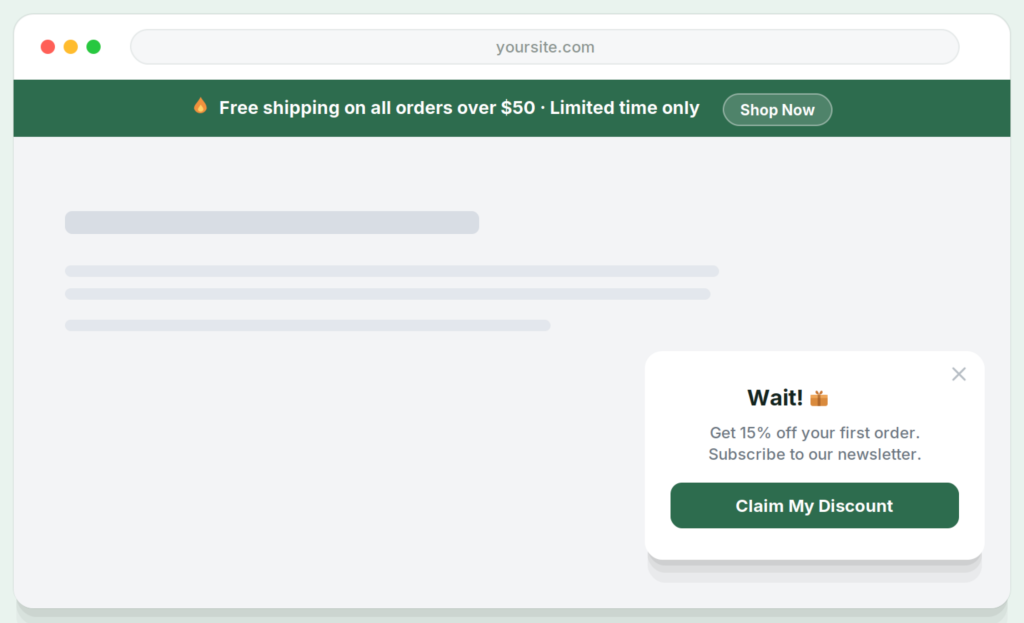
ConvertForce is a conversion plugin for creating notification bars, lightbox popups, and slide-in campaigns using the native Gutenberg block editor.
For most WordPress sites, that covers the three highest-leverage conversion placements: announcement bars for storewide promotions and lead magnets, welcome popups for first-time visitor opt-ins, and slide-ins for static social proof like testimonials, star ratings, and trust badges. Every campaign is built with the same blocks you already use for regular pages and posts, so there’s no separate builder to learn and no proprietary canvas to fight.
ConvertForce is early-stage. The free version is live on WordPress.org, and a Pro version is in development with advanced triggers (exit intent, scroll depth, user inactivity), frequency controls, and analytics planned. It currently doesn’t support email service integrations or live social proof notifications, so sites that need those specific features should pair ConvertForce with dedicated tools like FluentCRM and TrustPulse. ConvertForce requires Gutenberg and doesn’t work with the Classic Editor plugin. Alternatives in this category include Popup Maker (widely used, non-Gutenberg builder) and OptinMonster (hosted, premium).
Best for: WordPress sites running on Gutenberg that want a lightweight, blocks-native plugin for popups, announcement bars, and slide-ins without a separate design tool.
Pricing: Free; Pro coming soon.
2. OptinMonster (Lead Generation Suite)
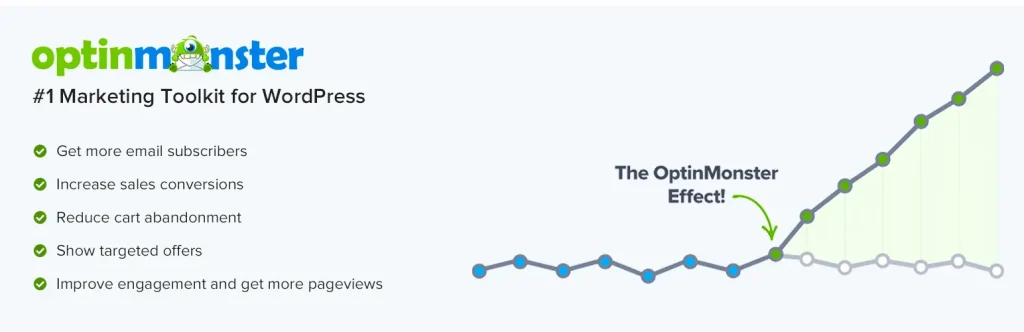
OptinMonster is a hosted lead generation platform with a WordPress connector plugin, covering popups, slide-ins, floating bars, inline forms, and full-screen welcome mats with advanced targeting and analytics.
The feature that sets OptinMonster apart from simpler popup plugins is its targeting depth — exit intent, scroll depth, inactivity, referrer-based triggers, geo-targeting, page-level targeting, cookie-based frequency rules, and A/B testing all come built in. For sites that have outgrown basic popup plugins and want behavioral rules driving every impression, OptinMonster is the most mature option in the category. It’s a SaaS product rather than a self-hosted plugin, so campaigns and analytics live on OptinMonster’s dashboard and sync into WordPress through the connector.
The tradeoff is cost and complexity. OptinMonster is priced per site and per impression tier, and the advanced rules need deliberate setup to work well. Sites that don’t need exit intent or behavioral targeting will get most of what they need from a simpler free or one-time-purchase plugin.
Best for: Established sites with meaningful traffic that want advanced targeting, exit intent, and A/B testing across multiple campaign types from one dashboard.
Pricing: From $7/month (billed annually).
3. SeedProd (Landing Page Builder)
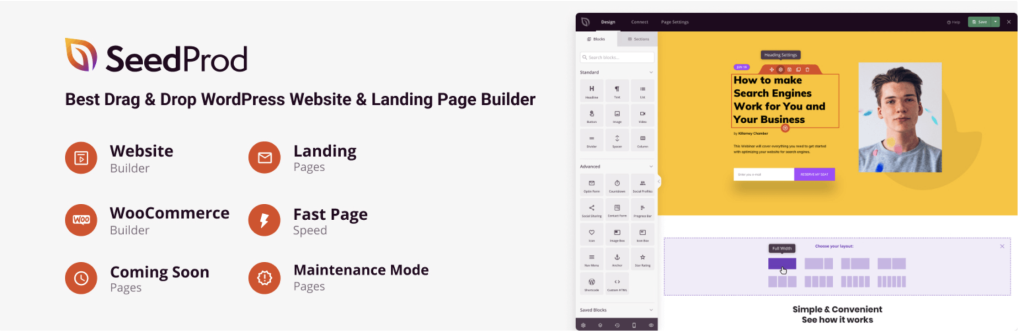
SeedProd is a drag-and-drop landing page builder focused on conversion-oriented pages — squeeze pages, webinar registrations, sales pages, thank-you pages, and coming-soon / maintenance pages — with a library of pre-built templates.
Landing pages matter for conversion because they strip away site-wide distractions (menus, sidebars, footers) and point visitors at a single action. For paid traffic especially, a dedicated landing page often outperforms a homepage or blog post by a wide margin on conversion rate. SeedProd runs independent of your theme, so you can spin up high-converting pages without touching the main site design, and it integrates with the major email marketing platforms for opt-in capture.
The free version handles coming-soon and maintenance modes with basic opt-in support. Pro adds the full landing page builder, template library, WooCommerce page templates, and integrations. Alternatives include Elementor Pro (full site builder with landing page capabilities), Thrive Architect (conversion-focused builder from the Thrive suite), and Divi (theme-plus-builder bundle).
Best for: Sites running paid traffic, webinars, or lead-magnet campaigns that need distraction-free conversion pages separate from the main site template.
Pricing: Free; Pro from $39.50/year.
4. WPForms (Forms)
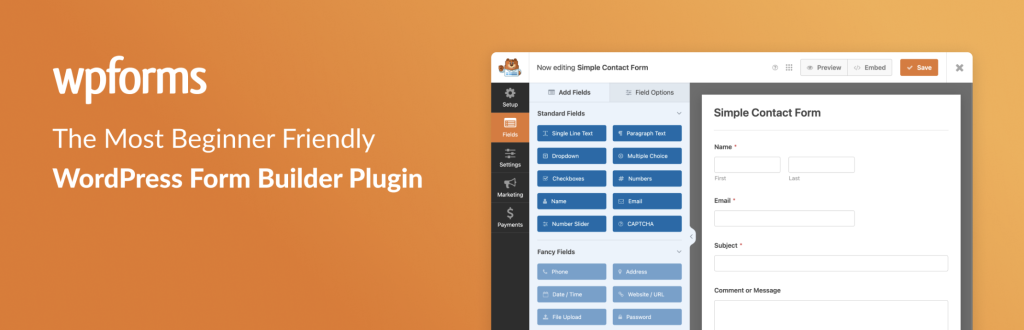
WPForms is a drag-and-drop form builder that covers contact forms, lead capture forms, surveys, payment forms, and multi-step forms with a large template library.
Forms are the most direct conversion mechanism on most websites — every lead, signup, and inquiry goes through one. WPForms prioritizes conversion-oriented features: conditional logic, multi-step layouts (which consistently outperform long single-page forms on completion rate), form abandonment tracking, smart tags for pre-filling fields, and native integrations with email marketing and CRM platforms. The Lite version handles simple contact forms; the paid tiers unlock the full builder, conditional logic, and integrations.
The main alternative is Gravity Forms, which is more developer-friendly and better suited for complex workflows with heavy custom logic. Fluent Forms sits in the middle as a strong freemium option with most of WPForms’ features at a lower price point. For most small business and marketing sites, WPForms’ combination of templates and integrations makes it the fastest path to a working form.
Best for: Sites that need conversion-ready contact, lead, and signup forms without a developer — especially for multi-step and conditional-logic use cases.
Pricing: Free; Pro from $49.50/year.
5. Nelio A/B Testing (A/B Testing)

Nelio A/B Testing runs split tests directly on your WordPress site — testing headlines, page variants, themes, widgets, menus, and WooCommerce products against each other with real-time conversion tracking.
A/B testing is the only way to know whether a change actually improves conversion rate versus just looking better. Without testing, optimization is guesswork dressed up in opinions. Nelio handles the full workflow inside WordPress: set up a variant, define a conversion goal (form submission, click, page visit, purchase), route traffic between variants, and get statistical significance reporting when the test has enough data. The plugin works with Gutenberg, page builders, and WooCommerce, so you can test almost anything on the site.
A/B testing only works when you have enough traffic to reach statistical significance in reasonable time — roughly 1,000 conversions per variant for most tests. For smaller sites, qualitative tools like heatmaps and session recordings (see Microsoft Clarity, #11) produce more actionable insight per visitor than split testing.
Best for: Sites with enough traffic (roughly 20,000+ monthly visits) to run meaningful tests and a specific hypothesis worth testing.
Pricing: Free tier available; paid plans from $55/month.
6. TrustPulse (Social Proof Notifications)

TrustPulse is a live social proof plugin that displays real-time notifications of recent activity — purchases, signups, downloads, form submissions — as small toast-style popups in the corner of the screen.
The mechanic works on the same psychological principle that drives hotel booking sites (“12 people are viewing this room”) — showing that other real people are taking action nudges hesitant visitors to do the same. TrustPulse pulls from actual site events, so notifications are real rather than fabricated, and it can be configured to show signups, purchases, or any trackable event. Sites typically report conversion lifts in the 5–15% range on high-traffic pages after installing social proof, though the effect depends heavily on having enough real activity to display.
TrustPulse is a SaaS tool with a WordPress plugin connector rather than a self-hosted plugin, so pricing is monthly rather than a one-time license. For static social proof (testimonials, star ratings, trust badges displayed on the page rather than as live notifications), a simpler slide-in or testimonials plugin (see #15) is a better fit at lower cost.
Best for: Sites with enough live activity — orders, signups, or downloads — for real-time notifications to feel active rather than sparse.
Pricing: From $5/month.
7. FluentCRM (Email Marketing and Automation)

FluentCRM is a self-hosted email marketing and CRM plugin that runs entirely inside WordPress instead of relying on a third-party service like Mailchimp, ConvertKit, or ActiveCampaign.
For conversion, email is often the highest-ROI channel on a site — someone who gave you their email address is a warmer lead than almost anyone arriving from organic or paid traffic. FluentCRM handles contact segmentation, tag-based automation, broadcast campaigns, welcome sequences, and form/WooCommerce event triggers. Because it’s self-hosted, you pay a flat annual fee instead of per-subscriber pricing, which becomes a significant cost advantage once your list grows past a few thousand contacts.
The tradeoff is email deliverability. FluentCRM sends through your own SMTP provider (Amazon SES, SendGrid, Postmark), so you’re responsible for configuring that and warming up a sending domain. For sites that already have reliable SMTP, FluentCRM replaces a four-figure annual Mailchimp or ActiveCampaign bill with a sub-$200 plugin license. Hosted alternatives include ConvertKit, ActiveCampaign, and Mailchimp for sites that prefer managed deliverability.
Best for: Sites with growing email lists that want to escape per-subscriber pricing while keeping contact data on their own server.
Pricing: $129/year for a single site.
8. MonsterInsights (Analytics and Goal Tracking)
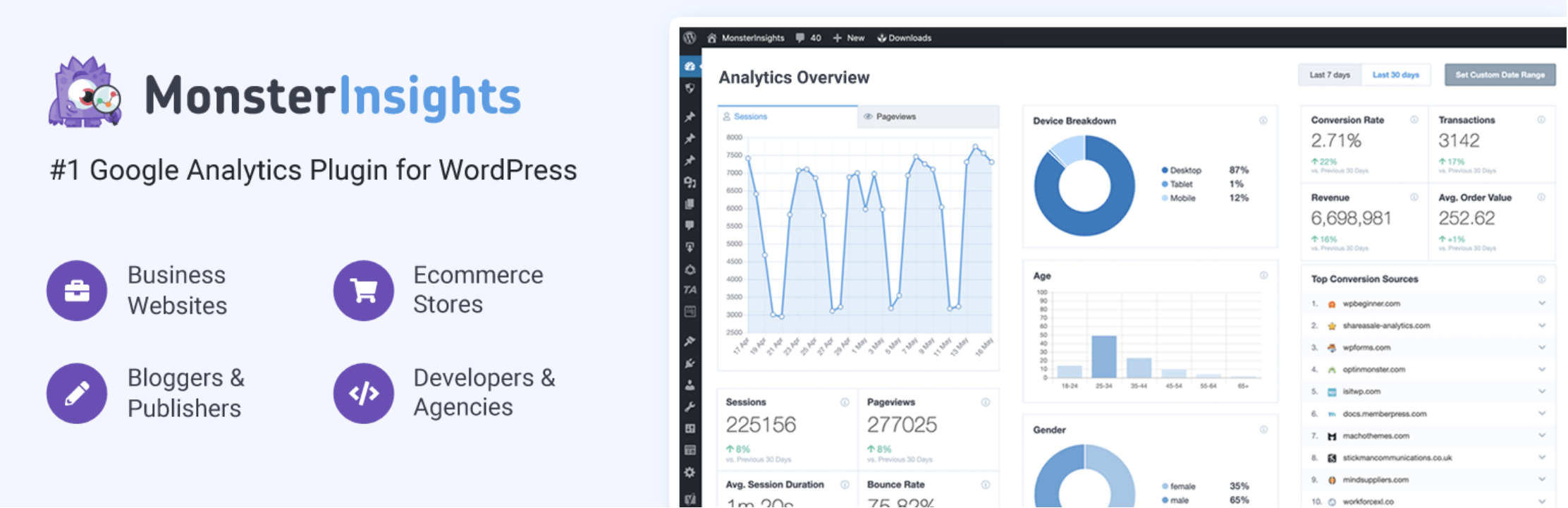
MonsterInsights is a Google Analytics 4 integration plugin that installs tracking correctly on WordPress and surfaces key reports — traffic sources, top content, conversion goals, and eCommerce data — inside the WordPress dashboard.
The value isn’t the analytics data itself (GA4 is free), but the correct event tracking out of the box. Proper conversion tracking means form submissions, outbound clicks, file downloads, video plays, scroll depth, and affiliate link clicks are all captured as events without custom code. Without those events, the “conversion rate” in any analytics report is incomplete — you’re measuring what Google decides to track, not what actually matters on your site. MonsterInsights also sets up enhanced eCommerce for WooCommerce and Easy Digital Downloads stores automatically.
The free version handles basic tracking; the paid tiers unlock the full event map, eCommerce reports, form conversion tracking, and custom dimensions. Direct GA4 implementation through Google Tag Manager is a more flexible alternative for sites with developer support, but the per-site setup cost is higher.
Best for: Sites that need Google Analytics installed correctly with proper conversion event tracking and don’t want to configure Tag Manager manually.
Pricing: Free; Pro from $99.50/year.
9. HurryTimer (Countdown Timers and Urgency)
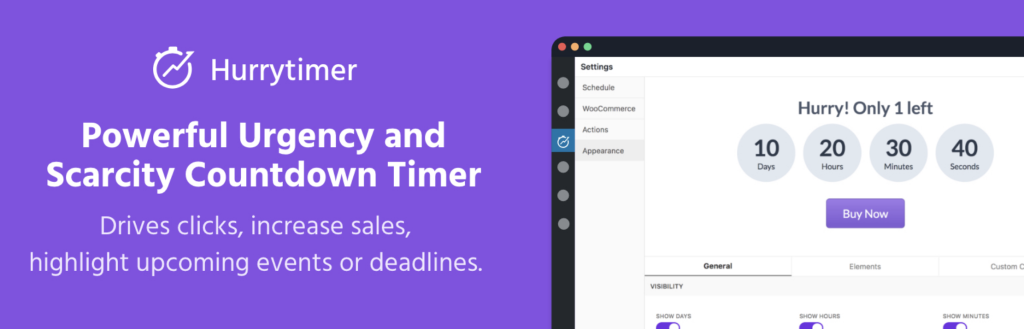
HurryTimer is a countdown timer plugin for creating evergreen and fixed-date scarcity timers on pages, posts, WooCommerce products, and opt-in offers.
Urgency is one of the oldest conversion levers on the internet because it works — deadlines compress decision time. HurryTimer supports both modes that matter: fixed-date campaigns (Black Friday, product launch) and evergreen per-visitor timers that start counting down the first time a specific visitor lands on a page. The evergreen mode is what makes urgency usable outside of actual promotional windows. It also supports session-based and cookie-based persistence so the timer doesn’t reset when a visitor switches devices or clears cookies.
The free version covers fixed-date timers and basic evergreen functionality. Pro adds recurring campaigns, action hooks (redirect, hide content, apply coupon when timer expires), and deeper WooCommerce integration. The usual caution applies: fake urgency erodes trust fast, so timers should tie to a genuine deadline or a genuinely limited offer.
Best for: Sites running launches, promotional windows, or evergreen opt-in sequences where a real deadline lifts completion rates.
Pricing: Free; Pro from $39/year.
10. Tidio (Live Chat and Chatbots)

Tidio is a live chat and chatbot platform with a WordPress plugin that handles visitor conversations, automated chatbot flows, and email/Messenger integrations from a single inbox.
Live chat converts differently than any other channel — it catches visitors at the exact moment of hesitation, when a static FAQ wouldn’t unblock them. Sites with staffed live chat typically see a 10–20% lift in conversion rate on pages where visitors engage, though the effect depends entirely on response time and the specific question. Tidio’s chatbot tier handles the most common pre-sales questions automatically (pricing, shipping, feature availability) so live chat doesn’t need 24/7 human coverage to be useful.
The free tier covers basic live chat with chat history; paid tiers add chatbots, multiple operators, and advanced automations. Alternatives include Crisp (strong free tier), LiveChat (mature enterprise option), and HubSpot’s free live chat tool bundled with its free CRM. For sites that can’t commit to staffing live chat, a well-configured chatbot often outperforms a partially-staffed chat.
Best for: Service businesses, SaaS products, and high-ticket eCommerce where pre-sales questions block purchases and a real-time answer closes the gap.
Pricing: Free tier available; paid plans from $29/month.
11. Microsoft Clarity (Heatmaps and Session Recordings)
Microsoft Clarity is a free behavioral analytics tool from Microsoft that captures heatmaps, scroll maps, and session recordings on WordPress sites through an official plugin.
Qualitative behavioral data is how you understand why a page isn’t converting — analytics tells you the what (conversion rate, bounce rate), Clarity shows you the why (visitors stopping at a specific form field, rage-clicking a broken element, scrolling past the CTA without noticing it). The session recordings are especially useful for diagnosing drop-off on checkout flows, long forms, and product pages. Clarity also flags “dead clicks,” “rage clicks,” and “excessive scrolling” as signals that something isn’t working.
Clarity is genuinely free with no usage caps, which is unusual for this category. The paid alternative is Hotjar, which has similar features, more polished UX, and a more established product — but usage limits on free tiers and meaningful pricing above them. For most sites, Clarity covers 90% of what Hotjar does at zero cost.
Best for: Any site that wants to understand visitor behavior on key conversion pages without paying for a separate behavioral analytics tool.
Pricing: Free.
12. PixelYourSite (Pixel Tracking and Retargeting)

PixelYourSite installs and configures Meta (Facebook/Instagram), Google Ads, TikTok, Pinterest, and Bing pixels across a WordPress site with proper event tracking for page views, form submissions, add-to-cart, initiate-checkout, and purchase events.
Correct pixel implementation is what makes retargeting and lookalike audiences work. Without accurate event tracking and server-side attribution, ad platforms can’t optimize delivery, and cost per acquisition stays higher than it needs to be. PixelYourSite handles the full event map for WordPress and WooCommerce, passes dynamic product IDs and order values, and supports Conversions API (server-side tracking) on the Pro tier — which has become essential as iOS privacy changes and ad blockers erode browser-side pixel tracking.
The free version covers Meta pixel with basic WordPress events. Pro adds Google Ads, TikTok, Pinterest, Bing, Conversions API, advanced event parameters, and dynamic product catalog feeds. Sites not running paid ads don’t need this plugin; sites running paid ads without proper tracking are leaking budget.
Best for: Any site running paid traffic on Meta, Google, or TikTok — which is most sites past the bootstrap phase.
Pricing: Free; Pro from $199/year.
13. Thrive Leads (Opt-in Forms for Bloggers)
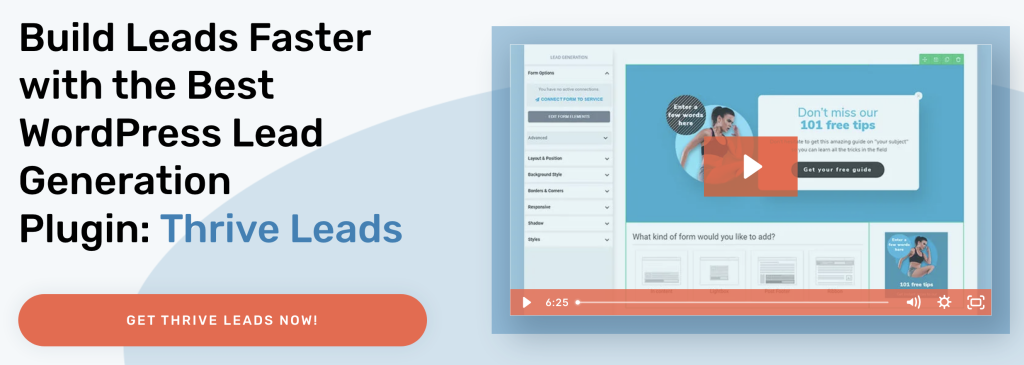
Thrive Leads is a dedicated opt-in form builder from the Thrive Themes suite, focused on the in-content opt-in placements that work particularly well for content-driven and blog-heavy sites.
The plugin covers all the usual opt-in types (popup, slide-in, notification bar, welcome mat) but its strongest use case is the forms that sit inside content — at the end of posts, as inline content upgrades, as scroll-triggered sidebars, and as dedicated landing page forms. A content upgrade (an opt-in that offers a relevant bonus specific to the post being read) consistently outperforms a site-wide opt-in form because the offer is contextual. Thrive Leads makes those post-specific forms manageable at scale through templating and smart links.
Thrive Leads is part of the Thrive Suite bundle, which includes Thrive Architect (landing pages), Thrive Quiz Builder, and several other plugins, sold as a quarterly subscription rather than standalone. Standalone alternatives with similar in-content form functionality include Bloom (from Elegant Themes) and the opt-in features inside Elementor Pro and Divi.
Best for: Blogs and content-driven sites where in-content opt-ins and per-post content upgrades drive most of the list growth.
Pricing: $149/quarter for Thrive Suite (includes Thrive Leads plus the full Thrive plugin set).
14. WP Rocket (Caching and Speed)
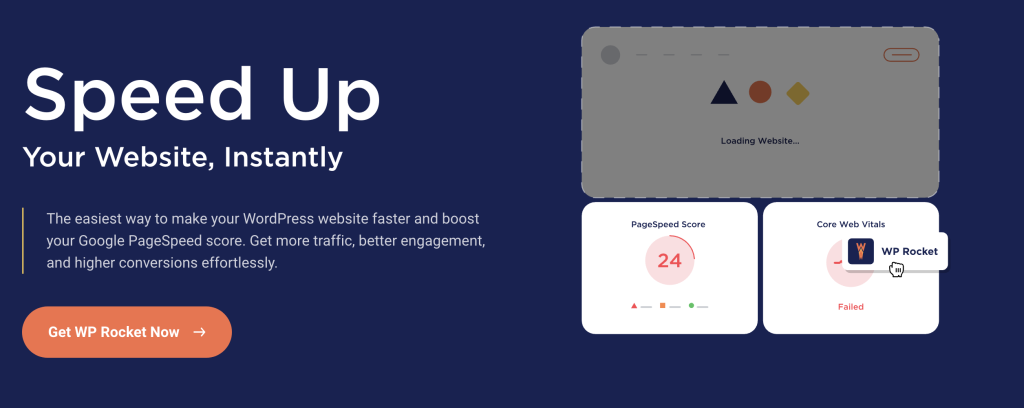
WP Rocket is a premium caching plugin that handles page caching, browser caching, file minification, lazy loading, preloading, and database cleanup from a single interface.
Speed belongs on any conversion-focused list because site speed is one of the most consistent conversion rate variables studied. Industry benchmarks put conversion rate loss at roughly 7% per additional second of load time, and the effect is steeper on mobile. WordPress sites tend to accumulate plugin overhead, render-blocking scripts, and bloated themes over time, all of which compound into slower page loads. WP Rocket handles the common speed issues out of the box without tuning — cache, minify, defer, preload — and has sensible defaults that work on most sites.
LiteSpeed Cache is a strong free alternative if your host runs LiteSpeed servers (many budget and managed hosts do). On other hosting stacks, WP Rocket is usually the simplest path to measurable speed gains without deep performance tuning. Managed hosts like Kinsta and WP Engine include server-level caching that overlaps with WP Rocket’s page caching, so check what your host already provides before layering caching plugins on top.
Best for: WordPress sites where slow page load is clearly affecting engagement, bounce rate, or conversion — which is most sites that haven’t actively optimized for speed.
Pricing: $59/year for a single site.
15. Strong Testimonials (Testimonials and Static Social Proof)

Strong Testimonials is a dedicated testimonials plugin for collecting, managing, and displaying customer quotes, reviews, and star ratings across a WordPress site.
Static social proof — displayed testimonials, star ratings, trust badges, client logos — is the baseline trust signal on most conversion-critical pages: landing pages, pricing pages, sales pages, and checkout. Strong Testimonials handles the full workflow: a submission form for customers to leave testimonials, moderation before publishing, and flexible display templates (slider, grid, list) that can be dropped anywhere on the site with a shortcode or block. It also supports schema markup for star ratings, which helps testimonials show up with rich snippets in search results.
The free version covers the core workflow and basic display templates. Pro adds additional templates, advanced filtering, and custom fields. For sites that only need a handful of static testimonials, a simple slide-in campaign (see ConvertForce, #1) or a hand-built section inside a landing page often does the job without a dedicated plugin. Strong Testimonials becomes worth its place when testimonials are actively collected, moderated, and displayed across many pages.
Best for: Sites that collect testimonials from customers regularly and display them across multiple pages — especially service businesses, SaaS, and consultants where social proof drives conversion.
Pricing: Free; Pro from $39/year.
How to Choose the Right Plugins for Your WordPress Site
You don’t need all 15. The right stack depends on where your site is in its lifecycle and which conversion gaps are costing the most. A reasonable progression looks like this:
New site (low traffic, no paid ads): Focus on foundational capture and trust. ConvertForce for announcement bars and welcome popups, WPForms for contact and lead forms, Microsoft Clarity for free behavioral data, and WP Rocket for speed. Skip A/B testing, live chat, and paid-ad pixel tools until there’s enough traffic and revenue to justify them.
Growing site (meaningful traffic, some paid ads): Add email marketing (FluentCRM), MonsterInsights for proper conversion tracking, PixelYourSite if running paid ads, TrustPulse for social proof on high-traffic pages, and Strong Testimonials for static social proof on landing pages. Consider SeedProd for dedicated campaign landing pages.
High-volume site (substantial traffic, optimization-driven): Full stack makes sense — OptinMonster or Thrive Leads for advanced opt-in targeting, Nelio A/B Testing for systematic optimization, Tidio for live chat and chatbots, HurryTimer for campaign-based urgency, and deeper setup across analytics and retargeting.
Two principles matter regardless of stage. First, every active plugin is code that loads on your site, gets updated, and occasionally conflicts with other plugins — a heavier stack isn’t automatically a better one. Second, check whether your hosting, theme, or existing tools already provide a feature before installing a plugin for it. Page builders often include basic popup and form functionality; managed hosts frequently include caching and security at the server level.
Frequently Asked Questions
What’s the difference between a conversion plugin and a marketing plugin?
Conversion plugins focus on turning existing visitors into subscribers, leads, or customers — popups, opt-in forms, landing pages, social proof, A/B testing, and behavioral analytics. Marketing plugins focus on reaching visitors in the first place — SEO, content distribution, email broadcasts, ad platform integrations, and retargeting. Most sites need both, but conversion plugins have a more direct and measurable effect on revenue for any given level of traffic.
Do I really need a separate popup plugin if my page builder already has one?
Usually yes. Page builder popups (Elementor Pro, Divi, Thrive Architect) cover the basics but rarely have the targeting depth, frequency rules, or dedicated campaign management of a plugin built specifically for popups and notification bars. For simple use cases, the page builder’s built-in option is fine; for anything involving behavioral targeting, display rules, or multiple concurrent campaigns, a dedicated plugin is the cleaner path.
How many conversion plugins should a WordPress site run?
Most optimized WordPress sites run 5–10 conversion-focused plugins in total. Fewer than 5 usually means the site is leaving obvious revenue on the table; more than 10 often means overlapping features, performance drag, and attention spread too thin to act on the data any single plugin produces. Every plugin should have a clear job it’s doing better than any other plugin on the site.
Which conversion plugin should I install first?
For most sites, a popup and notification bar plugin like ConvertForce is the fastest path to measurable conversion lift — it touches the largest percentage of visitors, covers the broadest set of use cases (email capture, promotions, announcements, social proof), and can be deployed in under an hour. Analytics tracking (MonsterInsights or direct GA4) and a heatmap tool (Microsoft Clarity) come next, because you can’t improve what you don’t measure.
Will adding conversion plugins slow down my site?
Some will. Live chat widgets, social proof notification plugins, and heavy popup tools all add front-end weight. The cost is usually worth it when the plugin lifts conversion rate measurably, but the impact compounds — five conversion plugins each adding 200ms is a full second of delay. Audit page speed before and after each install, keep a caching plugin tuned, and remove anything that isn’t clearly pulling weight.
Can free WordPress plugins actually boost conversions meaningfully?
Yes. Free versions of ConvertForce, WPForms, Microsoft Clarity, HurryTimer, MonsterInsights, and PixelYourSite cover enough functionality to move conversion rate on most sites. The paid tiers mostly unlock advanced triggers, integrations, and analytics that matter more as traffic grows. Starting with free plugins and upgrading when a specific limitation actually blocks you is usually the right sequencing — rather than buying the full premium stack up front.
Conclusion
The best conversion plugin stack for a WordPress site isn’t the biggest one — it’s the one that closes your site’s specific conversion gaps without introducing new friction or weight. Most sites leak conversions in predictable places: no email capture at the top of the funnel, weak trust signals on key decision pages, slow page loads, no urgency on time-bound offers, no follow-up after the first visit, and no behavioral data to explain why pages aren’t converting.
Start by identifying which of those gaps is costing the most. Install a single plugin to close that gap. Measure the impact with real analytics and behavioral data. Then close the next gap. This sequencing is slower than installing everything on this list at once, but it produces a leaner, faster, more profitable site — and it keeps you honest about which plugins are genuinely earning their place. Install deliberately, audit quarterly, and remove anything that isn’t clearly pulling weight.
Recommended Reading:
Leave a Reply