

Social proof is the psychological phenomenon where people look to others’ actions and experiences to guide their own decisions. When visitors see that real people are buying your products, signing up for your services, or leaving positive reviews, their trust increases and they’re more likely to convert.
For WordPress site owners, social proof plugins automate this process by displaying real-time notifications, testimonials, reviews, and social media activity directly on your website. Research consistently shows that social proof can increase conversions by 10-17% on average, with some implementations achieving gains of up to 98%.
In this article, we’ll introduce you to the best social proof WordPress plugins available in %currentyear%. Whether you need live purchase notifications, testimonial displays, or social media feed integration, you’ll find options that fit your needs.
Here’s a quick look at the plugins we’ll cover:
|
Plugin |
Live Notifications |
Testimonials |
Social Feeds |
Free Plan |
Starting Price |
Best For |
|---|---|---|---|---|---|---|
|
NotificationX |
✅ |
❌ |
❌ |
✅ |
$39/yr |
No impression limits |
|
TrustPulse |
✅ |
❌ |
❌ |
Trial |
$5/mo |
Easiest setup |
|
WPFomify |
✅ |
❌ |
❌ |
❌ |
$99/yr |
Agencies |
|
ProveSource |
✅ |
✅ |
❌ |
✅ |
$19/mo |
WooCommerce stores |
|
WiserNotify |
✅ |
✅ |
❌ |
Trial |
$9/mo |
Most integrations |
|
WP Social Ninja |
✅ |
✅ |
✅ |
✅ |
$44/yr |
All-in-one solution |
|
Real Testimonials |
❌ |
✅ |
❌ |
✅ |
Varies |
Review collection |
|
Smash Balloon |
❌ |
❌ |
✅ |
Per platform |
Varies |
Social media feeds |
|
ConvertForce |
❌ |
✅ |
❌ |
✅ |
Free |
Gutenberg-native |
Things Considered to Pick the Best Social Proof WordPress Plugins
Before diving into the plugins, let’s cover the key factors we considered when evaluating each option:
1. Types of Social Proof
Different plugins specialize in different types of social proof. Some excel at live activity notifications (recent purchases, signups), while others focus on testimonial displays or social media integration. We evaluated what each plugin does best and where it falls short.
2. Ease of Use
Setup complexity varies significantly. Some plugins require external accounts and API connections, while others work entirely within WordPress. We prioritized plugins that beginners can configure in under 10 minutes while still offering advanced options for experienced users.
3. Customization Options
Your social proof should match your brand. We looked at design flexibility, positioning options, animation controls, and the ability to customize colors, fonts, and layouts without touching code.
4. Integration Capabilities
The best social proof plugins integrate seamlessly with WooCommerce, form builders, email marketing tools, and other WordPress plugins you’re already using. We evaluated the depth and reliability of these integrations.
5. Performance Impact
Social proof plugins should enhance conversions without slowing your site. We considered script weight, loading methods (async vs. synchronous), CDN usage, and overall performance impact.
6. Pricing and Value
We examined free tiers, impression limits, annual vs. lifetime pricing, and whether the feature set justifies the cost. Some plugins offer generous free plans, while others require paid plans for basic functionality.
Best Social Proof WordPress Plugins Explained
Now let’s dive into each plugin with detailed reviews, features, pros, cons, and pricing.
1. NotificationX

NotificationX is a comprehensive free social proof plugin developed by WPDeveloper, the team behind Essential Addons for Elementor. It’s known for offering enterprise-level features without the typical SaaS pricing model, making it one of the most feature-rich free options available.
The plugin bundles multiple social proof types into one solution: sales notifications, review displays, download counters, comment alerts, and announcement bars with countdown timers. This versatility makes it particularly valuable for plugin developers, theme creators, and bloggers who want to showcase WordPress.org download stats and reviews.
NotificationX operates entirely within WordPress—no external service required—and includes advanced targeting by user role, country, and page type. The free version alone covers most use cases, though the Pro version unlocks detailed analytics, additional integrations, and priority support.
Key features of NotificationX:
-
No impression limits on any plan (including free)
-
WordPress.org integration for displaying plugin/theme downloads and reviews
-
Notification bar with countdown timer and sliding text
-
WooCommerce sales and review notifications
-
Comment activity notifications from WordPress posts
-
Download statistics display
-
Advanced targeting by user role, country, and page
-
Integration with WPForms, Gravity Forms, Mailchimp, Zapier, LearnDash, and GiveWP
-
Compatible with Elementor and Gutenberg
Pros
-
Completely free version with no impression caps
-
All-in-one solution (notifications + bars + social proof)
-
WordPress-native (no external service required)
-
Ideal for plugin/theme developers showcasing WordPress.org stats
-
Active development and regular updates
Cons
-
Interface can feel overwhelming for users who only need basic notifications
-
Advanced notification bar features require Pro version
-
Steeper learning curve than simpler alternatives
Pricing of NotificationX
NotificationX has a robust free version available on WordPress.org. The Pro version starts at $39/year for a single site, unlocking analytics, additional integrations, countdown timers, and priority support. Lifetime licenses are also available starting at $299.
2. TrustPulse

TrustPulse is widely regarded as the easiest social proof plugin to set up for WordPress. Created by the team behind WPForms and OptinMonster (Awesome Motive), it specializes in real-time activity notifications that create urgency and build trust.
The plugin’s strength lies in its “automagical” activity tracking. Once connected to your site, it automatically detects and displays form submissions, purchases, and signups without requiring complex configuration. You simply choose which activities to showcase and customize the notification appearance.
TrustPulse works as a cloud-based service with a WordPress connector plugin, meaning your notifications are delivered via their CDN for optimal performance. The targeting options are sophisticated, allowing you to show different notifications to first-time visitors versus returning customers, and control exactly where notifications appear on your site.
Key features of TrustPulse:
-
Automatic activity tracking for purchases, signups, and form submissions
-
“On Fire” notifications showing multiple recent activities at once
-
Smart targeting (first-time vs. returning visitors, page-specific rules)
-
Built-in A/B testing for notification designs
-
Real-time analytics dashboard with conversion tracking
-
Mobile-responsive notification designs
-
Integration with WooCommerce, WPForms, Gravity Forms, and Easy Digital Downloads
Pros
-
Extremely fast setup (most users go live in under 5 minutes)
-
No impression limits even on basic plans
-
Excellent customer support from Awesome Motive team
-
Clean, modern notification designs
-
Reliable tracking with minimal configuration
Cons
-
Cloud-based service (requires external account)
-
No testimonial collection or display features
-
Cannot display social media feeds
Pricing of TrustPulse
TrustPulse offers a 14-day free trial. Paid plans start at $5/month (billed annually at $60/year) for sites with up to 100 sessions per month. The Pro plan at $10/month handles 500 sessions and includes advanced targeting and A/B testing.
3. WPFomify
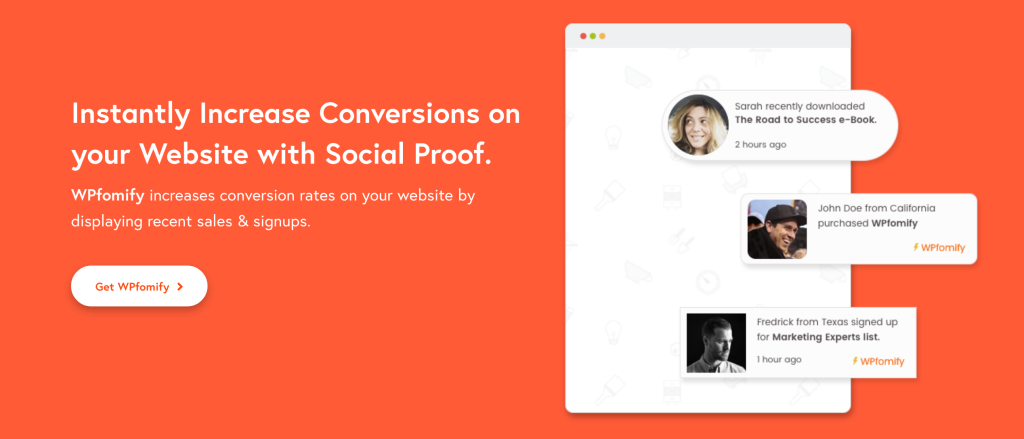
WPFomify holds the distinction of being one of the first dedicated FOMO and social proof plugins built specifically for WordPress. Unlike cloud-based competitors, WPFomify is WordPress-native, meaning all data processing happens within your WordPress installation with no external API calls.
This architectural difference matters for three reasons: no impression limits ever, complete data ownership and privacy compliance, and no recurring external service dependencies. For agencies managing client sites, these factors make WPFomify particularly attractive.
The plugin offers sophisticated targeting rules, multiple notification formats (including product images in notifications), and a notification bar that doubles as a countdown timer. WPFomify’s integrations with WordPress eCommerce plugins and form builders are deep and reliable, making it powerful for complex WordPress ecosystems.
Key features of WPFomify:
-
WordPress-native (no external service, complete data ownership)
-
Display product images in purchase notifications
-
Customer review notifications with ratings, titles, and names
-
Recent purchases, subscriptions, and conversion displays
-
Notification bar with countdown timer functionality
-
UTM tracking for notifications (trace in analytics)
-
Advanced visitor targeting (returning, first-time, all visitors)
-
Control notification close button and mobile visibility
-
Integration with WooCommerce, Easy Digital Downloads, GiveWP, Gravity Forms, WPForms, Contact Form 7
Pros
-
No impression limits or recurring SaaS fees
-
Complete privacy and data control
-
Ideal for agencies with multiple client sites
-
Product images make notifications more engaging
-
One-time payment options available
Cons
-
No free version to test before purchase
-
More expensive upfront than monthly SaaS options
-
Fewer integrations than cloud-based alternatives
Pricing of WPFomify
WPFomify is premium-only with no free tier. Annual plans range from $99/year (1 site) to $299/year (unlimited sites). Lifetime license is also available for $399 for unlimited websites.
4. ProveSource

ProveSource differentiates itself by combining traditional sales notifications with live visitor count displays and miniature world maps showing purchase locations. This geographical element adds an extra layer of social proof by showing your product’s global reach.
The platform offers a cloud-based service with a WordPress connector plugin. It automatically pulls WooCommerce order data and displays it as stylish notifications with minimal configuration. ProveSource also allows you to show page view counts and visitor statistics—useful when you don’t yet have many sales to display.
Integration with Google Analytics and email marketing tools is seamless, and the targeting options are sophisticated enough for advanced campaigns. ProveSource works particularly well for WooCommerce stores targeting international audiences.
Key features of ProveSource:
-
Live visitor count displays
-
World map visualization showing purchase/signup locations
-
Page view tracking and notification
-
Sales popup notifications with customer details
-
5-star review displays
-
Real sales tracking (only genuine orders shown)
-
Advanced targeting and scheduling
-
Google Analytics integration
-
Mobile-responsive designs with extensive customization
-
WooCommerce automatic integration
Pros
-
Free plan available for testing
-
Unique world map feature for international social proof
-
Can show visitor activity even without sales
-
Beautiful, minimal notification designs
-
Responsive customer support
Cons
-
Cloud-based (requires external account)
-
Some users report privacy concerns about email follow-ups
-
Advanced features require paid plans
Pricing of ProveSource
ProveSource offers a free plan for up to 1k visitors per month. Paid plans start at $24/month (billed annually) for 20k monthly visitors. Higher tiers unlock additional notification types, advanced targeting, and priority support.
5. WiserNotify
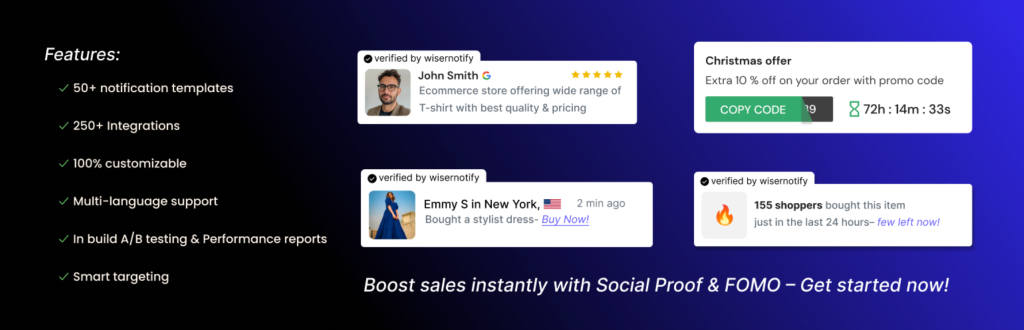
WiserNotify stands out for its massive integration library—over 250 direct platform connections—and its multi-platform support. Unlike WordPress-only solutions, WiserNotify works across Shopify, Wix, Webflow, and custom websites, making it ideal for businesses operating on multiple platforms.
The plugin offers 50+ notification design templates, built-in A/B testing, and conversion rate optimization features that go beyond basic social proof. WiserNotify also includes unique features like tab notifications (alerts that appear when users switch browser tabs) and countdown widgets for creating urgency.
For WordPress users specifically, WiserNotify integrates with WooCommerce, Easy Digital Downloads, LearnDash, MemberPress, and popular form builders. The setup is straightforward, though as a cloud-based service, it requires creating an external account and adding tracking scripts to your site.
Key features of WiserNotify:
-
50+ customizable notification design templates
-
250+ direct platform integrations
-
Built-in A/B testing for notification optimization
-
Tab notification feature (alerts when users switch tabs)
-
Multi-platform support (WordPress, Shopify, Wix, Webflow)
-
FOMO countdown timers and stock counters
-
Real-time data updates from connected platforms
-
Advanced targeting by country, device, time, traffic source, behavior
-
Complete automation with minimal setup
Pros
-
Most integrations of any social proof tool (250+)
-
Works across multiple website platforms
-
Extensive design template library
-
Built-in A/B testing and CRO features
-
Built-in A/B testing and CRO features
Cons
-
Cloud-based service (not WordPress-native)
-
Can feel feature-heavy if you only need basic notifications
-
Pricing scales with traffic volume
Pricing of WiserNotify
WiserNotify offers a 7-day free trial. Paid plans start at $59/year for up to 5,000 sessions. The Pro plan at $16/month supports 10,000 sessions and unlocks advanced features like A/B testing and priority support.
6. WP Social Ninja
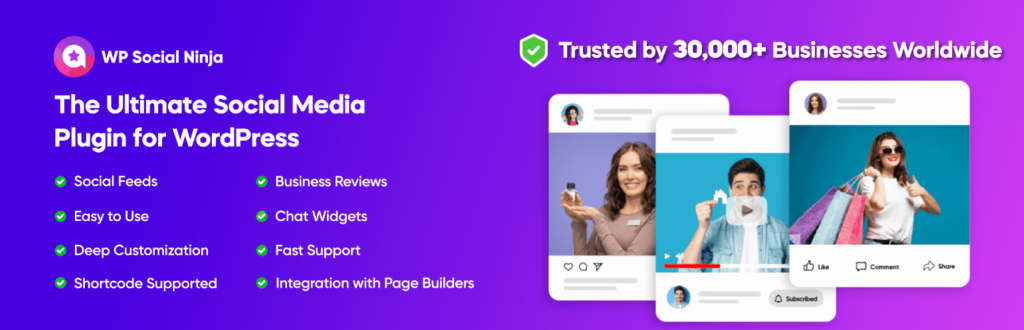
WP Social Ninja is the most comprehensive all-in-one social proof solution for WordPress. Instead of focusing solely on FOMO notifications, it combines reviews, testimonials, social media feeds, and chat widgets into a single plugin—essentially replacing 3-4 separate plugins.
The plugin’s strength lies in its breadth. You can display Google Reviews, Facebook recommendations, Yelp reviews, and Trustpilot testimonials alongside Instagram and Twitter feeds, all managed from one dashboard. It also includes notification popups for WooCommerce sales, creating a complete social proof ecosystem.
For businesses that want to centralize their social proof strategy without juggling multiple plugins, WP Social Ninja delivers exceptional value. The interface is intuitive despite the extensive feature set, and it works seamlessly with both Gutenberg and Elementor.
Key features of WP Social Ninja:
-
30+ social platform connections (reviews, feeds, chat)
-
Google Reviews, Facebook, Yelp, Trustpilot review displays
-
Instagram, Twitter, Facebook, YouTube social feeds
-
Video testimonial support
-
Testimonial collection forms
-
WooCommerce sales notification popups
-
Chat widgets (Facebook Messenger, WhatsApp, 15+ channels)
-
Testimonial slider, carousel, and grid layouts
-
Review filtering and moderation tools
-
Compatible with Gutenberg and Elementor
Pros
-
True all-in-one solution (replaces multiple plugins)
-
Free version includes core functionality
-
4.8-star rating with 30,000+ active installations
-
Regular updates and excellent support
-
Bridges social proof, reviews, feeds, and chat in one tool
Cons
-
Feature-heavy interface may overwhelm simple use cases
-
Some advanced review features require Pro version
-
Not ideal if you only need basic FOMO notifications
Pricing of WP Social Ninja
WP Social Ninja offers a feature-rich free version. The Pro version starts at $44/year (after discount) for a single site, unlocking premium notification designs, advanced review features, and priority support.
7. Real Testimonials

Real Testimonials focuses exclusively on collecting, managing, and displaying customer testimonials and reviews. Unlike FOMO notification plugins, it’s designed for businesses that want to showcase authentic customer feedback in multiple formats across their site.
The plugin’s key strength is automation. It includes testimonial collection forms that you can embed anywhere, automatically converts blog comments into testimonials, and even pulls testimonials from social media posts. This reduces the manual effort of gathering and formatting customer feedback.
Display options include testimonial sliders, carousels, grid layouts, and individual testimonial blocks. Video testimonial support is built-in, which research shows is significantly more persuasive than text-only reviews. The centralized dashboard makes it easy to moderate, approve, and organize testimonials before publishing.
Key features of Real Testimonials:
-
Automated testimonial collection via customizable forms
-
Convert blog comments to testimonials automatically
-
Pull testimonials from social media posts
-
Video testimonial support and display
-
Multiple layout options (slider, carousel, grid, single)
-
Testimonial moderation and approval workflow
-
Star rating displays
-
Custom fields for additional testimonial data
-
Schema markup for SEO benefits
-
Mobile-responsive display templates
Pros
-
Specialized for testimonial management (does one thing well)
-
Reduces manual work through automation
-
Video testimonial support (highly persuasive)
-
Centralized dashboard for all testimonials
-
Free version available
Cons
-
No live activity notifications or FOMO elements
-
Cannot display social media feeds
-
Limited WooCommerce integration
Pricing of Real Testimonials
Real Testimonials offers a free version with core testimonial collection and display features. Premium pricing varies based on features needed, with advanced options available in paid tiers.
8. Smash Balloon

Smash Balloon takes a completely different approach to social proof by displaying live social media feeds directly on your WordPress site. Instead of FOMO popups, it leverages your existing social media presence—Instagram photos, Facebook posts, Twitter feeds, YouTube videos—to demonstrate active engagement and community.
The plugin is actually a suite of individual plugins, each designed for a specific platform (Instagram, Facebook, Twitter, YouTube). Each plugin is highly optimized for its platform’s API and displays content in clean, responsive layouts that match your site’s design.
With over 2 million active installations and a 4.8-star rating, Smash Balloon is trusted by businesses that have strong social media engagement and want to showcase that activity on their website. It’s particularly effective for creating “testimonial walls” from social media comments and for keeping your website content fresh with dynamic social feeds.
Key features of Smash Balloon:
-
Platform-specific plugins (Instagram, Facebook, Twitter, YouTube)
-
Live social media feed displays
-
Customizable feed layouts (grid, carousel, masonry)
-
No coding required (5-minute setup)
-
Responsive designs for all devices
-
Feed moderation and filtering options
-
Multiple feeds per page
-
Custom feed URLs and hashtag filtering
-
Caching for optimal performance
-
Compatible with page builders and Gutenberg
Pros
-
2+ million active installations (proven reliability)
-
4.8-star rating on WordPress.org
-
Extremely easy to use (minimal learning curve)
-
Keeps website content fresh automatically
-
Can create testimonial walls from social content
Cons
-
Not a notification or FOMO plugin
-
Requires active social media presence to be effective
-
Individual platform plugins must be purchased separately
-
Cannot display sales or signup activity
Pricing of Smash Balloon
Each Smash Balloon plugin has a free version with basic features. Premium versions vary by platform but typically start around $49/year for a single site. Bundle pricing is available for businesses needing multiple platform feeds.
9. ConvertForce
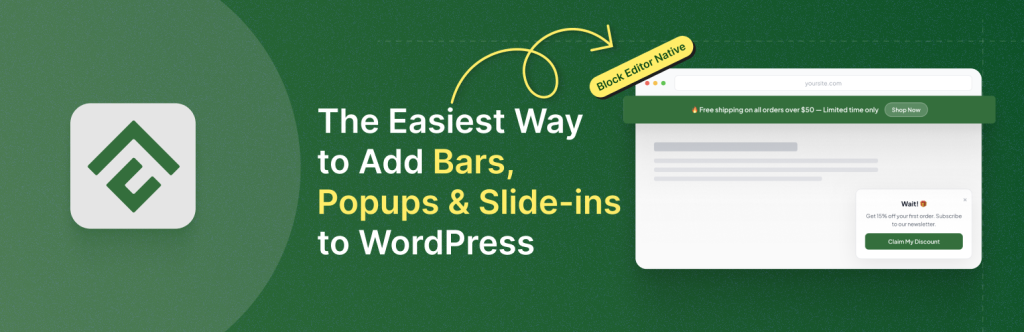
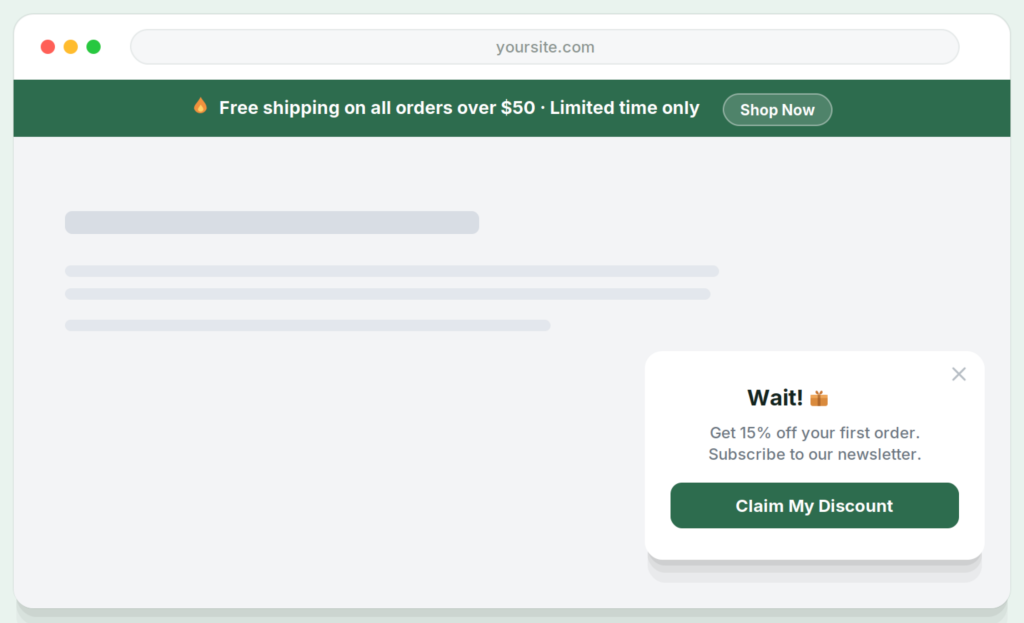
ConvertForce is a Gutenberg-native campaign builder designed specifically for WordPress’s block editor. Unlike dedicated social proof plugins that focus solely on FOMO notifications, ConvertForce is a versatile campaign tool that creates notification bars, lightbox popups, and slide-ins—all managed directly within the familiar WordPress editing interface.
While it’s not a specialized social proof plugin, ConvertForce’s slide-in campaigns are highly effective for displaying testimonials, trust badges, star ratings, and customer logos. This makes it a practical alternative for Gutenberg users who want static social proof displays without adding page builder dependencies or managing separate plugin interfaces.
The key differentiator: ConvertForce operates entirely within WordPress’s native block editor. Where other plugins require custom dashboards, external interfaces, or page builder compatibility, ConvertForce lets you build campaigns using the same editing experience you use for content creation.
Key features of ConvertForce:
-
Gutenberg-native campaign builder (no separate interface)
-
Three campaign formats: notification bars, popups, slide-ins
-
Static social proof via slide-ins (testimonials, trust badges, star ratings)
-
Smart display rules (page targeting, scroll triggers, time-based display)
-
Fully customizable text, buttons, colors, backgrounds, icons
-
Responsive design for mobile and desktop
-
Sticky or floating positioning options
-
No page builder dependency (works with core WordPress)
-
Lightweight and performance-optimized
Pros
-
Only solution native to Gutenberg block editor
-
Seamless WordPress editing experience
-
Lightweight with minimal performance impact
-
Free version includes core features
-
Perfect for displaying static testimonials and trust elements
-
No external dependencies or service accounts
Cons
-
No live/dynamic purchase notifications
-
Cannot display real-time activity or FOMO notifications
-
Limited to static social proof use cases
Pricing of ConvertForce
ConvertForce offers a free version with all essential campaign creation features. The Pro version is currently in development and will include advanced targeting (exit intent, scroll depth, user inactivity triggers), display frequency controls, and analytics when released.
Final Decision
Choosing the right social proof plugin depends entirely on your specific needs and technical setup. Here’s how to decide:
-
Choose TrustPulse if: You want the easiest setup for live activity notifications and don’t mind a cloud-based service. Best for beginners who need real-time purchase or signup notifications with minimal configuration.
-
Choose NotificationX if: You need a free solution with no impression limits and want to showcase WordPress.org plugin stats or downloads. Ideal for plugin developers, theme creators, and budget-conscious businesses.
-
Choose WPFomify if: You’re managing multiple client sites as an agency and want complete data ownership without recurring SaaS fees. The WordPress-native approach and lifetime licensing make it cost-effective at scale.
-
Choose ProveSource if: You run a WooCommerce store and want to display live visitor counts with geographical indicators. The world map feature works particularly well for international businesses.
-
Choose WiserNotify if: You need maximum integration flexibility (250+ platforms) or operate across multiple website platforms beyond WordPress. Best for advanced marketers with complex tech stacks.
-
Choose WP Social Ninja if: You want an all-in-one solution that handles reviews, testimonials, social feeds, and chat widgets without juggling multiple plugins. Best value for businesses needing comprehensive social proof.
-
Choose Real Testimonials if: Your primary goal is collecting and displaying customer testimonials and video reviews. Perfect for service businesses and consultants focusing on authentic customer feedback.
-
Choose Smash Balloon if: You have strong social media engagement and want to display live Instagram, Facebook, or Twitter feeds on your site. Works best when combined with a notification plugin for complete coverage.
-
Choose ConvertForce if: You work exclusively in Gutenberg and need static social proof displays (testimonials, trust badges) without page builder dependencies. Best for WordPress purists who want campaigns managed the same way as content.
Our recommendation: Start with the free versions of NotificationX, WP Social Ninja, or ConvertForce to test which approach works best for your site. Most businesses benefit from combining two plugins—one for live notifications (TrustPulse or NotificationX) and one for testimonials or social feeds (Smash Balloon or ConvertForce).
The key is matching the plugin to your social proof goal: live activity creates urgency, testimonials build credibility, and social feeds demonstrate community. Choose based on which psychological trigger matters most to your audience.
Leave a Reply